

To use Google Maps API in 2025, you’ll create a Google Cloud project, enable the Maps JavaScript API, and generate your API key through the Cloud Console. Include the API script in your HTML, create a div with id=”map”, and initialize it using the initMap() function with your desired center coordinates and zoom level. Critical changes include migrating from legacy Directions API to Routes API by March 1st and adapting to new Essentials, Pro, and Enterprise pricing tiers. This foundation opens up advanced mapping capabilities you can implement immediately.
Key Takeaways
- Create a Google Cloud project, enable Maps JavaScript API, and generate API keys through the Cloud Console for authentication.
- Include the Maps API script and initialize a map with center coordinates, zoom level, and target div element.
- Use the new Routes API instead of legacy Directions API for enhanced performance and 25 waypoint support after March 2025.
- Implement Places API (New) for location search functionality and custom map styling with data-driven features and vector rendering.
- Migrate from legacy APIs before March 1, 2025 cutover to avoid service disruptions and billing limitations.
Setting Up Your Google Cloud Project and API Keys
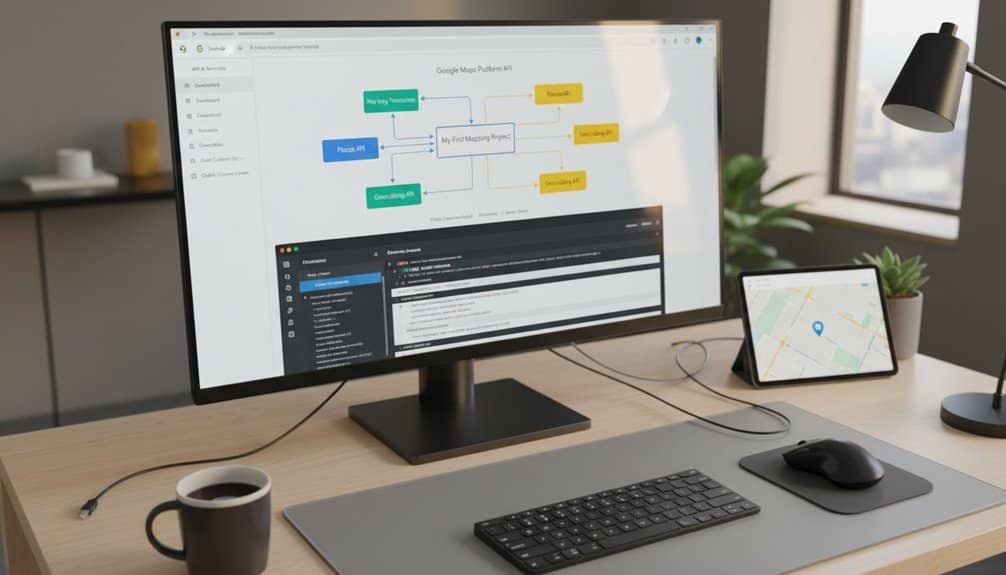
Before you can integrate Google Maps functionality into your application, you’ll need to establish a Google Cloud project and generate the necessary API credentials.
Navigate to the Google Cloud Console and select Menu > IAM & Admin > Create a Project**. Enter a descriptive project name and customize your Project ID**—it must be 6-30 characters, lowercase letters and digits only, starting with a letter. This ID is permanent and globally unique.
Alternatively, use Cloud Shell with `gcloud projects create PROJECT_ID` for faster setup. Verify creation using `gcloud projects describe PROJECT_ID`.
Next, configure your billing setup by linking a billing account through the Billing section. This step is mandatory for accessing Google Maps API services.
Establish your resource hierarchy by selecting appropriate folder structures and applying security configurations. Enable the Maps JavaScript API, Places API, and Geocoding API through the API Library, then generate your API key in the Credentials section.
Essential Google Maps APIs and Their 2025 Updates
With your Google Cloud project configured and API credentials secured, you’ll need to understand the extensive suite of Google Maps APIs and the significant changes arriving in 2025.
Google Maps Platform consists of three core API categories: Maps APIs (iOS/Android SDKs, JavaScript API, Static/Embed APIs), Routes APIs, and Places APIs. The Routes API replaces both Directions and Distance Matrix APIs on March 1, 2025, offering enhanced performance, toll information, and support for 25 waypoints with new travel modes including bike and two-wheeler options.
Google Maps Platform’s three core API categories undergo major restructuring with Routes API replacing legacy services by March 2025.
Critical billing model changes introduce Essentials, Pro, and Enterprise pricing tiers, eliminating the $200 monthly credit in favor of free usage caps. Legacy services receive automatic discounts only up to 100,000 monthly events after the switchover date. Google originally introduced the Routes API in 2022 as an upgraded service to eventually consolidate routing functionalities.
For enterprise integration, you can’t enable Legacy APIs after the cutover. Migrate to Routes API and Places API (New) immediately, testing implementations thoroughly before deployment to avoid service disruptions.


Building Your First Interactive Map With Code Examples
Creating your first interactive Google Map requires establishing the fundamental HTML structure and JavaScript initialization code.
You’ll start by creating a div element with id “map” and explicit dimensions like width:100%; height:400px for responsive map design.
Include the Maps JavaScript API script before your closing body tag: .
Your initMap function instantiates the map object:
“`javascript
function initMap() {
const mapProp = {
center: new google.maps.LatLng(51.508742, -0.120850),
zoom: 10
};

const map = new google.maps.Map(document.getElementById(“map”), mapProp);
const marker = new google.maps.Marker({
position: new google.maps.LatLng(51.508742, -0.120850),
title: “London”
});
marker.setMap(map);
}
“`
This code creates essential map interactions including zoom, pan, and marker display functionality.
Advanced Features: Routes, Places, and Custom Styling
Once you’ve mastered basic map implementation, you can tap into Google Maps’ advanced capabilities to build feature-rich applications with sophisticated routing, location intelligence, and visual customization.

The Routes API (replacing Directions API March 2025) delivers real time traffic updates and toll cost optimization across 25 waypoints. You’ll access predictive traffic conditions and expanded travel modes including bike, walk, and two-wheeler options.
| Feature | Legacy API | New API (March 2025) |
|---|---|---|
| Routes | Directions API | Routes API with 25 waypoints |
| Places | Places API | Places API (New) with 35K free calls |
| Styling | Manual configuration | Auto-applied color schemes |
The Places API (New) provides enhanced location search through Google Cloud Console integration. Custom styling receives automatic updates with redesigned markers optimized for mobile interaction.
Enable data-driven styling via `MapCapabilities.isDataDrivenStylingAvailable()` and implement vector rendering using `RASTER` and `VECTOR` constants for performance optimization.
Frequently Asked Questions
How Much Does Google Maps API Cost per Month for Small Projects?
You’ll pay $0-50 monthly for small projects using Google Maps API. Tiered pricing models offer 10,000 free monthly requests in Essentials tier, plus $300 trial credit for new accounts.
Free trial availability covers most small-scale implementations. Basic Map Tiles cost $0.60 per 1,000 requests after free limits, while Dynamic Maps run $7.00 per 1,000. Most hobby projects stay within free tiers completely.
Can I Use Google Maps API Without a Credit Card or Billing Account?
No, you can’t use Google Maps API without a billing account. Google requires valid billing information for all API usage, even within free plan limits. You’ll need a credit card linked to your Google Cloud Platform account before generating API keys.
Implement usage monitoring strategies like setting daily quotas and rate limits to prevent unexpected charges. The API won’t function without proper billing setup, regardless of staying within free tiers.
What Happens if I Exceed My Monthly API Usage Limits Unexpectedly?
Excess API usage triggers automatic charges when you’ve linked a billing account, or service termination if you haven’t. Your APIs stop responding until quotas reset daily/monthly without billing configured.
With billing account options enabled, you’ll incur charges beyond free tiers—$3,250 monthly starting March 2025. Set custom daily quotas in Google Cloud Console to prevent unexpected overages and monitor usage proactively.
Is There a Free Alternative to Google Maps API for Basic Mapping?
Yes, you’ve got several robust options. Open source mapping platforms like OpenStreetMap with MapLibre GL JS provide unlimited usage without licensing fees.
Free map data providers including Geoapify offer high usage limits for basic implementations. You can implement OpenLayers for custom styling or use MapKit JS if you’re targeting Apple ecosystems. GraphHopper handles routing requirements offline, while Mapbox provides generous free tiers for prototyping.
How Do I Migrate Existing Code From Old Directions API Before Deadline?
Replace your GET requests with POST requests to Routes API endpoints before March 1, 2025. Update authentication headers to X-Goog-Api-Key, implement field masking with X-Goog-FieldMask, and convert URL parameters to JSON request bodies. Your API migration strategies must account for parameter renaming and new waypoint formats.
Test backwards compatibility considerations thoroughly since Routes API uses different response structures than legacy Directions API.
Conclusion
You’ve now built a foundation with Google Maps API that’ll scale with your projects. Start with basic map implementation, then progressively add routing, places, and custom styling as needed. Remember to monitor your API usage quotas and implement proper error handling in production. Keep your API keys secure, use environment variables, and leverage the latest 2025 features like enhanced place details and improved performance optimizations for smoother user experiences.
Table of Contents
- 1 Key Takeaways
- 2 Setting Up Your Google Cloud Project and API Keys
- 3 Essential Google Maps APIs and Their 2025 Updates
- 4 Building Your First Interactive Map With Code Examples
- 5 Advanced Features: Routes, Places, and Custom Styling
- 6 Frequently Asked Questions
- 6.1 How Much Does Google Maps API Cost per Month for Small Projects?
- 6.2 Can I Use Google Maps API Without a Credit Card or Billing Account?
- 6.3 What Happens if I Exceed My Monthly API Usage Limits Unexpectedly?
- 6.4 Is There a Free Alternative to Google Maps API for Basic Mapping?
- 6.5 How Do I Migrate Existing Code From Old Directions API Before Deadline?
- 7 Conclusion







No Comments