
Google AI Image vs Midjourney AI Image Generator: the Prompt Tricks That Change Everything
You’ll find Google Imagen 4 delivers results in 5.3 seconds versus Midjourney‘s 42-second generation time, but speed isn’t everything. Imagen 3 excels with detailed, descriptive prompts for photorealistic content and superior text handling, while Midjourney requires stylistic language diversity for cinematic quality. Your platform choice depends on project requirements: Imagen’s precision editing tools and natural language commands favor professional workflows, while Midjourney’s artistic interpretation suits creative experimentation. Strategic prompt architecture determines which system activates ideal performance for your specific objectives.
Key Takeaways
- Google Imagen 3 excels with detailed, descriptive prompts while Midjourney requires diverse stylistic language for optimal results.
- Imagen 4 delivers images in 5.3 seconds versus Midjourney’s 42 seconds, prioritizing speed over artistic quality.
- Google’s natural language editing commands enable precise modifications through doodle editing and camera angle guidance features.
- Midjourney’s remix and vary functions allow iterative refinement for superior photorealism and cinematic artistic interpretation.
- Choose Imagen for professional workflows and text handling; select Midjourney for creative experimentation and imaginative compositions.
Speed Vs Quality: Understanding the Core Trade-Offs Between Google Imagen and Midjourney
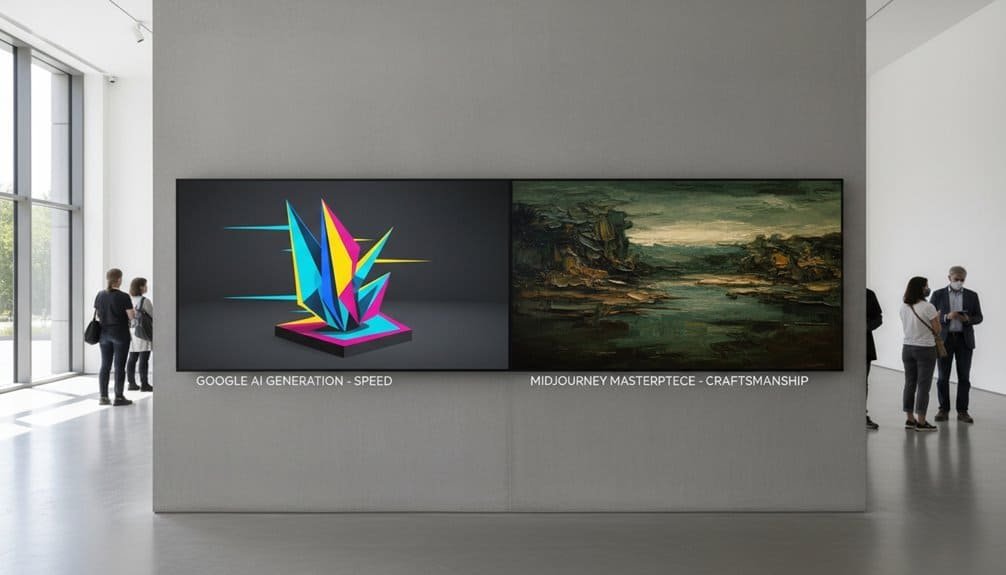
When evaluating AI image generators, you’ll encounter a fundamental tension between processing speed and output quality that defines the practical differences between Google Imagen and Midjourney.
The core trade-off in AI image generation remains unchanged: you must choose between speed and artistic excellence.
Your comparative workflow considerations reveal stark contrasts. Google Imagen 4 delivers results in 5.3 seconds, while Midjourney requires 42 seconds under suboptimal conditions. This speed differential directly impacts iterative design processes and rapid prototyping scenarios.
However, image quality nuances favor Midjourney’s approach. Midjourney v7 achieves superior photorealism and cinematic quality, producing outputs that resemble professional concept art. You’ll find its near-photographic rendering capabilities particularly evident in gothic atmospheres and complex artistic scenes.
Conversely, Imagen 3’s strength lies in commercial applications requiring quick turnaround. It generates smooth textures and natural reflections suitable for stock photography, though it lacks Midjourney’s artistic sophistication. Google Imagen 3 demonstrates superior text handling capabilities when incorporating typography or textual elements within generated images.
Your choice depends on project requirements: select Imagen for rapid ideation and multiple variations, or choose Midjourney when artistic excellence and detailed photorealism take precedence over processing speed.
Mastering Prompt Techniques That Maximize Each Platform’s Strengths
Strategic prompt engineering determines whether you’ll harness each platform’s computational advantages or struggle against their inherent limitations.
Imagen 3’s photorealistic performance peaks with detailed, descriptive prompts like “lifestyle image of young professional in coffee shop, natural lighting, 16:9 ratio.” You’ll achieve superior text rendering by specifying typography elements directly within prompts. Midjourney requires prompt diversity through stylistic language—leverage artistic terminology for painterly textures and human-like authenticity.
Your optimization strategy depends on four critical techniques:
- Compositional Specificity: Include lighting conditions, aspect ratios, and photography terms like “golden hour” or “rule of thirds”
- Platform-Native Parameters: Utilize Midjourney’s stylization sliders and image prompting versus Imagen’s natural language processing
- Template Development: Build reusable prompts with brand assets, color hexes, and consistent formatting
- Iterative Refinement: Employ Midjourney’s remix and vary functions while exploiting Imagen’s complex prompt handling through Gemini integration
This methodological approach transforms computational potential into measurable output quality.


Creative Control and Editing Features That Define Your Workflow
The fundamental architecture of creative control separates platforms through their editing methodologies and workflow integration capabilities. Google’s AI leverages precise editing tools that enable granular image adjustment through targeted modifications—you’ll change specific elements like sofa colors or typography without affecting surrounding components. The platform’s doodle editing functionality allows direct manipulation via drawing interfaces, while supporting up to 14 reference images for complex scene composition workflows.
Your compositional control extends beyond basic placement through sophisticated camera angle guidance and multi-subject interaction management. Google’s thinking mode processes interim refinements, delivering enhanced accuracy for intricate scenarios. The system’s local editing capabilities respond to natural language commands, streamlining technical adjustments.
Midjourney’s approach prioritizes artistic interpretation over technical precision, offering fewer granular controls but stronger stylistic coherence. Google’s integration with existing services creates seamless workflow shifts, while Midjourney requires external tools for comparable editing functionality, fundamentally altering your creative process architecture.
Strategic Platform Selection Based on Your Specific Use Cases
Breaking down your project requirements against platform capabilities reveals distinct performance patterns that should drive your selection process. Your choice between Google’s Imagen and Midjourney fundamentally depends on whether you’re prioritizing business efficiency or artistic vision.
Strategic Selection Framework:
- Professional Workflows – Choose Imagen 4 when you need 10-second generation times, seamless integration, and automated business processes that eliminate manual bottlenecks.
- Creative Experimentation – Select Midjourney for personal projects requiring distinctive artistic styles, complex imaginative scenes, and fine-tuning control over creative outputs.
- Realistic Content Production – Deploy Imagen 3 for photographic portraits, quick realistic renders, and advertising concepting where speed outweighs artistic differentiation.
- Complex Artistic Scenes – Leverage Midjourney’s superior performance in dragon-over-castle scenarios and highly detailed imaginative compositions that demand creative complexity.
Your artistic vision and business efficiency requirements determine ideal platform alignment for measurable project success.
Frequently Asked Questions
Can I Use Google Imagen 3 Commercially Without Copyright Issues?
You can use Google Imagen 3 commercially through enterprise offerings like Vertex AI or Gemini subscriptions, which grant full ownership of generated content. Commercial usage rights are included in GA features, though pre-GA restrictions may apply.
The imagen 3 pricing model varies by service tier. Google implements content filters to minimize copyright replication, but you must still comply with their Acceptable Use Policy regarding intellectual property.
Does Midjourney Offer Any Free Trial or Credits for New Users?
You can’t access Midjourney’s free trial offerings through their main platform—they discontinued free trials in April 2023. However, you’ll find limited credit allocation through the niji·journey mobile app for iOS and Android.
Occasionally, Midjourney reactivates short-term trials during new model releases, providing approximately 25 generations. You must monitor their official Discord announcements for these temporary opportunities, as standard access requires paid subscriptions starting at $10 monthly.

Which Platform Handles Non-English Prompts and International Languages Better?
Google’s Imagen 4 and Gemini handle non-English prompts substantially better than Midjourney. You’ll experience superior language support through Google’s multilingual training data and language model architecture that comprehends contextual nuances across languages.
Midjourney’s artistic-focused approach often mishandles non-English prompt specifics, while Google’s productivity integration guarantees global accessibility. You’ll achieve more reliable international prompt interpretation with Google’s platforms for precise multilingual workflows.
Can I Train Either Platform on My Own Artistic Style?
You can train Google’s Imagen 3 on your artistic style through Vertex AI’s LoRA customization, but you’ll need approved developer access.
Midjourney doesn’t support direct style training—you’re limited to prompt engineering techniques.
For Google, you’ll upload a training dataset of your artwork to create custom tokens.
Midjourney alternatives like getimg.ai offer one-click training with 5-50 images, providing more accessible custom style replication.
What Are the Resolution Limits and File Format Options Available?
You’ll find Google’s image generator produces outputs up to 4K resolution through Gemini 3 Pro, while Imagen 4 maxes at 2K. File size limitations cap at 10MB per image, with up to 4 images per request. The system doesn’t explicitly specify supported image formats in documentation, though standard web formats are typically used.
You’ll need uppercase ‘K’ notation when specifying resolution parameters, and higher resolutions consume more daily quota allocation.
Conclusion
You’ll achieve ideal results by matching your workflow requirements to each platform’s technical specifications. Google Imagen’s faster processing suits rapid iteration cycles, while Midjourney’s superior quality serves final production needs. Your prompt engineering strategy must account for each system’s parsing algorithms—Imagen responds to structured, descriptive language, whereas Midjourney excels with artistic terminology. Evaluate your project’s speed-versus-quality requirements, then select the platform that aligns with your computational budget and output specifications.
Table of Contents

- 1 Key Takeaways
- 2 Speed Vs Quality: Understanding the Core Trade-Offs Between Google Imagen and Midjourney
- 3 Mastering Prompt Techniques That Maximize Each Platform’s Strengths
- 4 Creative Control and Editing Features That Define Your Workflow
- 5 Strategic Platform Selection Based on Your Specific Use Cases
- 6 Frequently Asked Questions
- 6.1 Can I Use Google Imagen 3 Commercially Without Copyright Issues?
- 6.2 Does Midjourney Offer Any Free Trial or Credits for New Users?
- 6.3 Which Platform Handles Non-English Prompts and International Languages Better?
- 6.4 Can I Train Either Platform on My Own Artistic Style?
- 6.5 What Are the Resolution Limits and File Format Options Available?
- 7 Conclusion



No Comments