

Google Maps Embed API Secrets: Beautiful, Fast Maps Without Hitting Usage Limits
You’re burning through expensive mapping API quotas when Google Maps Embed API delivers unlimited free usage that powers over 10 million websites without a single overage charge. Unlike traditional mapping solutions with costly restrictions and 90-day consecutive exceedance penalties, you’ll access five essential map modes—Place, View, Directions, Search, and Streetview—with advanced parameter customization for marker placement, zoom control, and maptype configuration. Performance optimization techniques like cache management, marker clustering, and exponential backoff guarantee lightning-fast loading while maintaining professional-grade functionality that scales effortlessly.
Key Takeaways
- Google Maps Embed API provides unlimited free usage without quota restrictions, overage bills, or unexpected charges for millions of views.
- Five essential map modes include Place, View, Directions, Search, and Streetview for comprehensive location-based functionality and user experiences.
- Advanced parameter customization enables precise marker placement, zoom control, maptype configuration, and accessibility compliance with keyboard navigation.
- Performance optimization through cache management, marker clustering, raster images, and exponential backoff ensures fast loading and smooth interactions.
- Zero-cost scalable operations eliminate quota management overhead, making it ideal for proof-of-concept builds and high-volume implementations.
Unlimited Free Usage: Why Embed API Beats Traditional Mapping Solutions
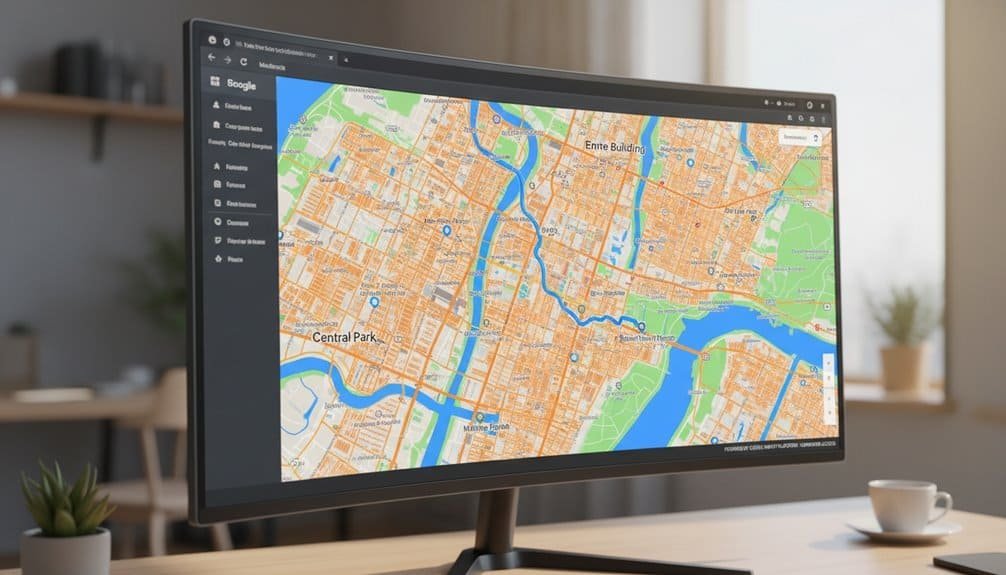
When you’re evaluating mapping solutions for high-traffic applications, Google’s Maps Embed API stands apart with its unlimited free usage model—a stark contrast to traditional mapping APIs that impose costly restrictions.
Traditional APIs like Dynamic Maps charge $7 per 1,000 additional loads after exhausting free tiers. The JavaScript API‘s current monthly credit increases to $3,250 from March 2025, but still enforces rate limits of 3,000 queries per minute. Pre-2018’s generous 25,000 daily maploads dropped to 28,500 monthly, creating billing pressure for growing applications.
Embed API eliminates these constraints through cost effective scaling without quota management overhead. You’ll avoid overage bills, 90-day consecutive exceedance restrictions, and unexpected charges post-credit exhaustion. This billing free expansion supports millions of views without Cloud Console quota monitoring, making it ideal for proof-of-concept builds and high-volume implementations requiring predictable zero-cost operations. With Google Maps Platform powering over 10 million websites and apps, this unlimited usage model provides a proven foundation for scalable mapping solutions.
Five Essential Map Modes for Every Web Development Project
Google Maps Embed API delivers five distinct map modes that transform how you implement location-based features across web applications. Place Mode targets specific locations using address or latitude/longitude coordinates, creating precise markers for businesses, landmarks, or points of interest. You’ll configure zoom levels from 0 to 21 and select roadmap or satellite views for ideal presentation.
View Mode provides clean map backgrounds without markers, perfect for contextual overviews. You’ll center maps using coordinates while controlling zoom and scale for intuitive map visualization.
Directions Mode calculates routes between multiple points, supporting driving, walking, bicycling, and transit options. Configure origin, destination, and waypoints while avoiding tolls or highways.
Search Mode combines dynamic location discovery with customizable search overlays within bounded regions. Streetview Mode renders 360-degree panoramic perspectives from street-level or interior locations, enabling immersive exploration through iframe integration across all development projects.
Advanced Parameter Customization for Professional Map Integration
Professional map implementation requires precise parameter configuration to achieve ideal performance and user experience. You’ll leverage core positioning parameters like q for marker placement strategies, center for exact positioning, and zoom levels from 0-21 for prime scale control. Configure maptype between roadmap and satellite to match your application’s visual requirements.
Advanced marker customization transforms basic pins into branded elements. You’ll implement PinElement with scale adjustments, custom colors, and glyph modifications to highlight critical locations like headquarters or service areas. Query gmp-advanced-marker elements programmatically to apply consistent styling across multiple locations.


Dynamic map interactions enhance user engagement through directions mode, search functionality, and streetview integration. Implement fitBounds method to automatically adjust viewport based on coordinate arrays. You’ll optimize performance using lazy loading techniques while maintaining responsive design through CSS Grid and Flexbox containers. Add aria-labels and keyboard navigation for accessibility compliance.
Performance Optimization Techniques for Lightning-Fast Map Loading
Why do enterprise maps often struggle with performance bottlenecks despite modern hardware capabilities? The culprit typically lies in inefficient resource management and poor optimization strategies.
Performance bottlenecks in enterprise mapping stem from poor resource management rather than hardware limitations.
You’ll achieve dramatic performance improvements by implementing smart cache management strategies for your geocoding operations. Store latitude/longitude pairs in Redis or in-memory caches for up to 30 days—this eliminates redundant API calls and reduces response times by 70-90%.
For high volume data handling, leverage marker clustering to maintain responsiveness when displaying thousands of data points. Use raster images (PNGs/JPGs) instead of SVGs for markers—they outperform vector graphics immensely during pan/zoom operations.
Implement exponential backoff for failed requests, starting with short delays and doubling wait times until success. Execute user-interaction requests only after specific events like clicks or dragend triggers. This prevents unnecessary API consumption while maintaining smooth map manipulation during active panning and zooming.
Frequently Asked Questions
Can I Use Google Maps Embed API on Commercial Websites Without Restrictions?
You can use Google Maps Embed API on commercial websites with specific restrictions. While map usage pricing is free, you must comply with Google’s Terms of Service regarding map data ownership.
You can’t scrape, export, or redistribute content, create Google Maps substitutes, or remove required attribution. You’ll need an API key, maintain minimum 200px by 200px dimensions, and follow licensing requirements for commercial implementation.
Does the Embed API Work Offline or Require Constant Internet Connection?
You can’t use the Embed API offline—it requires constant internet connection for every map load. The iframe src initiates network requests to Google’s servers, making offline functionality impossible.
While browsers store minimal cached map data temporarily, you’ll need active connectivity for responsive map design and dynamic content. Consider OpenStreetMap or Mapbox for true offline mapping solutions in your applications.
How Do I Handle User Privacy and GDPR Compliance With Embedded Maps?
You’ll need opt-in user consent requirements before loading embedded maps to prevent unauthorized cookie setting. Implement two-click solutions with placeholder images until visitors explicitly agree.
Update your privacy policy detailing data sharing considerations with Google Ireland Limited/Google LLC. Use consent management plugins that block the Embed API until approval.
Consider Maps JavaScript API v3 instead—it avoids cookie exchange while maintaining functionality and reducing compliance complexity.
Can I Customize the Visual Appearance and Colors of Embedded Maps?
You can’t customize colors directly through the Embed API’s URL parameters – it lacks map customization options for visual styling settings. You’ll need the Maps JavaScript API for advanced color palette changes and UI modifications. Use Snazzy Maps or Google’s Style Wizard to generate JSON styling code, then implement it through the JavaScript API.
The Embed API only supports basic parameters like maptype, zoom, and center positioning.
What Happens if Google Discontinues the Free Unlimited Usage Policy?
You’d face free tier limitations requiring migration to paid usage plans. Google would notify you via email with changeover timelines and pricing calculators.
You’ll need to enable billing accounts for API key management, implement usage monitoring, and optimize request patterns. Historical precedents show rate limits could drop from unlimited to monthly quotas, with excess charges starting at $7 per 1,000 requests for map loads.
Conclusion
You’ve mastered the Google Maps Embed API‘s core advantages: unlimited free usage, five essential map modes, advanced parameter customization, and performance optimization techniques. You’re now equipped to implement lightning-fast maps without hitting usage limits or breaking budgets. Focus on parameter efficiency, leverage browser caching, and optimize your embed configurations for maximum performance. Your maps will load faster, cost nothing, and deliver professional-grade functionality that scales with your application’s growth.
Table of Contents
- 1 Key Takeaways
- 2 Unlimited Free Usage: Why Embed API Beats Traditional Mapping Solutions
- 3 Five Essential Map Modes for Every Web Development Project
- 4 Advanced Parameter Customization for Professional Map Integration
- 5 Performance Optimization Techniques for Lightning-Fast Map Loading
- 6 Frequently Asked Questions
- 6.1 Can I Use Google Maps Embed API on Commercial Websites Without Restrictions?
- 6.2 Does the Embed API Work Offline or Require Constant Internet Connection?
- 6.3 How Do I Handle User Privacy and GDPR Compliance With Embedded Maps?
- 6.4 Can I Customize the Visual Appearance and Colors of Embedded Maps?
- 6.5 What Happens if Google Discontinues the Free Unlimited Usage Policy?
- 7 Conclusion








No Comments