
You’ll want WAVE for instant visual feedback that highlights accessibility errors directly on your pages, Axe DevTools for enterprise-grade accuracy that integrates seamlessly into your CI/CD pipelines, and Lighthouse’s built-in Chrome accessibility audit for thorough WCAG compliance testing. WAVE excels at quick stakeholder communication, Axe catches violations other scanners miss, and Lighthouse delivers automated testing with performance insights. Each tool offers distinct advantages that complement your specific development workflow and compliance requirements.
Key Takeaways
- WAVE provides instant visual feedback highlighting accessibility errors, missing alt text, and color contrast issues directly on web pages
- Axe DevTools offers enterprise-grade accuracy with seamless CI/CD integration and detailed remediation guidance for development teams
- Lighthouse Accessibility Audit delivers built-in Chrome DevTools testing with comprehensive WCAG compliance analysis and performance insights
- All three tools support automated testing workflows, with Axe and Lighthouse excelling at continuous integration deployments
- WAVE works best for quick audits and stakeholder communication, while Axe and Lighthouse suit technical development environments
WAVE Web Accessibility Evaluation Tool
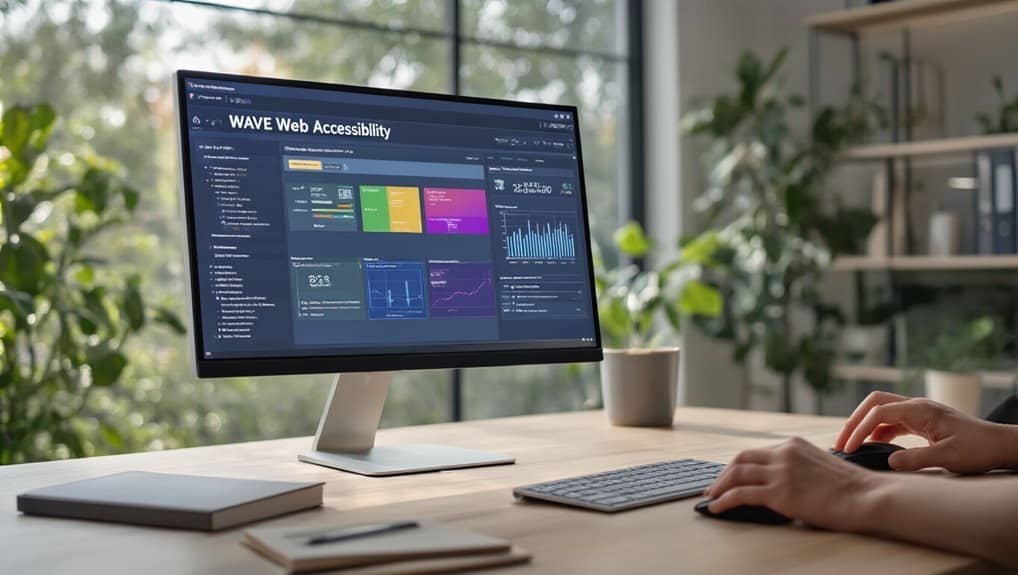
WAVE cuts through the complexity of accessibility testing by providing instant, visual feedback on your website’s compliance issues. You’ll see errors, alerts, and structural elements highlighted directly on your page, making it easier to understand what needs fixing.
The tool identifies critical violations like missing alt text, improper heading structures, and insufficient color contrast ratios. You can quickly spot areas where keyboard navigation fails, ensuring users relying on assistive technologies can navigate your site effectively. WAVE‘s browser extension lets you test pages in real-time without leaving your development environment.
What sets WAVE apart is its visual approach—you’re not deciphering complex reports but seeing issues overlaid on your actual content. The tool follows WCAG guidelines and highlights both automated detectable issues and areas requiring manual review. For quick accessibility audits, WAVE delivers actionable insights that help you prioritize fixes and maintain compliance standards efficiently.
Axe Devtools by Deque Systems
While WAVE excels at visual feedback, Axe DevTools takes a different approach by integrating directly into your browser’s developer console with enterprise-grade accuracy. You’ll find this tool indispensable for catching WCAG violations that visual scanners often miss.
Axe DevTools shines in automation testing environments. You can integrate it seamlessly into your CI/CD pipeline, ensuring accessibility checks happen at every deployment. The tool’s API supports popular frameworks like Selenium, Cypress, and Playwright, making it perfect for development teams who need consistent accessibility validation.
The intelligent issue detection prioritizes violations by severity, helping you tackle critical problems first. You’ll appreciate the detailed remediation guidance that includes code examples and WCAG references. The tool streamlines reporting workflows with exportable results in multiple formats, enabling you to share findings with stakeholders efficiently. For teams serious about maintaining accessibility standards throughout development cycles, Axe DevTools delivers unmatched precision and reliability.
Lighthouse Accessibility Audit
Google’s Lighthouse offers a thorough accessibility audit that’s already built into Chrome DevTools, eliminating the need for additional installations or browser extensions. You’ll find all-encompassing testing capabilities that analyze your site’s compliance with WCAG guidelines while providing actionable recommendations for improvement.
Lighthouse scoring delivers precise accessibility metrics based on automated testing of critical elements. The tool excels at ARIA validation, ensuring your semantic markup functions correctly for assistive technologies. You can run audits directly in your browser or integrate them into your CI/CD pipeline for continuous monitoring.
Key features include:


- Automated WCAG compliance testing – Identifies violations across color contrast, keyboard navigation, and semantic structure
- Performance impact analysis – Shows how accessibility improvements affect site speed
- Progressive enhancement insights – Guides implementation of inclusive design patterns
- Detailed remediation guidance – Provides specific code examples and best practices
You’ll receive all-encompassing reports that prioritize fixes based on user impact and implementation complexity.
Frequently Asked Questions
How Much Do Premium Website Accessibility Tools Typically Cost per Month?
You’ll typically pay $50-500 monthly for premium accessibility tools, depending on subscription tiers and your site’s complexity.
Basic plans start around $50-100, while mid-tier options range $200-400 monthly.
Enterprise pricing often exceeds $500, scaling with your organization’s size and compliance requirements.
You’re investing in WCAG 2.1 AA compliance, automated scanning, remediation features, and ongoing monitoring.
Consider your traffic volume, page count, and integration needs when evaluating costs.
Can Accessibility Tools Detect All WCAG Compliance Issues Automatically?
No, accessibility tools can’t detect all WCAG compliance issues automatically due to automated limitations inherent in the technology.
You’ll find that tools excel at identifying technical violations like missing alt text or color contrast issues, but they can’t evaluate subjective elements like content clarity or logical reading order. You’ll need human review to assess context-dependent requirements and guarantee your site truly meets WCAG standards thoroughly.
Which Accessibility Tools Work Best for Mobile App Testing?
You’ll get best results using Accessibility Scanner for Android and Xcode’s Accessibility Inspector for iOS native apps.
For cross-platform testing, consider Appium with accessibility-focused scripts that support mobile emulators across devices.

These tools provide gesture simulation capabilities, enabling you to test touch interactions, swipe patterns, and voice commands.
They’ll identify missing labels, insufficient contrast ratios, and navigation barriers that impact users with disabilities.
Do I Need Coding Knowledge to Use Website Accessibility Tools?
No coding knowledge is required for most accessibility tools. You’ll grasp the basics through Visual editors that provide intuitive interfaces for scanning and identifying issues.
Guided overlays walk you through remediation steps with clear instructions. These tools focus on WCAG compliance through automated testing and detailed reporting.
You can effectively audit accessibility barriers using point-and-click functionality rather than manual code analysis.
How Often Should Accessibility Audits Be Performed on Websites?
You should conduct quarterly reviews as your baseline accessibility audit schedule, ensuring consistent WCAG compliance monitoring.
Additionally, perform event-driven checks whenever you deploy major updates, add new features, or modify existing functionality. This dual approach catches both gradual accessibility degradation and immediate issues from code changes.
Critical user flows require immediate testing after any modifications to maintain peak accessibility standards.
Conclusion
You’ll maximize your site’s accessibility by implementing these three essential tools in your development workflow. WAVE catches surface-level issues quickly, Axe DevTools provides thorough WCAG compliance testing, and Lighthouse offers integrated performance metrics alongside accessibility scores. Don’t rely on automated testing alone—you’ll need manual testing and user feedback to achieve true accessibility. Start with Lighthouse for baseline audits, then integrate Axe DevTools for deeper analysis and ongoing monitoring.
Table of Contents

- 1 Key Takeaways
- 2 WAVE Web Accessibility Evaluation Tool
- 3 Axe Devtools by Deque Systems
- 4 Lighthouse Accessibility Audit
- 5 Frequently Asked Questions
- 5.1 How Much Do Premium Website Accessibility Tools Typically Cost per Month?
- 5.2 Can Accessibility Tools Detect All WCAG Compliance Issues Automatically?
- 5.3 Which Accessibility Tools Work Best for Mobile App Testing?
- 5.4 Do I Need Coding Knowledge to Use Website Accessibility Tools?
- 5.5 How Often Should Accessibility Audits Be Performed on Websites?
- 6 Conclusion







No Comments