
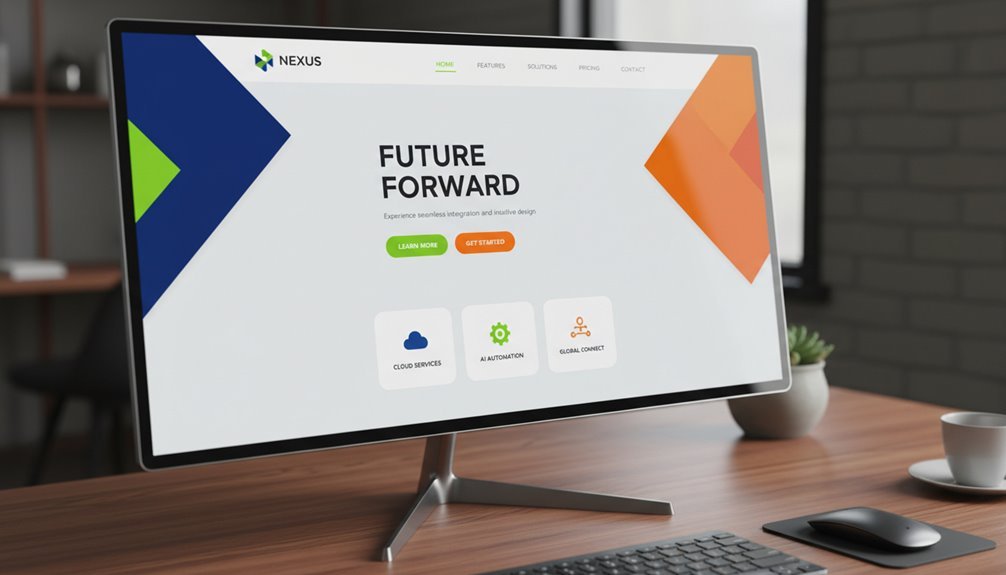
The 3-second rule for WordPress homepages is a make-or-break demand – you must captivate visitors within 3 seconds or risk losing them forever. Slow loading speeds, heavy media, and complex page designs can undermine this critical metric, tanking your user engagement and conversion rates. Prioritize a visual hierarchy, benefit-driven headlines, and lightning-fast performance to create a homepage that hooks your visitors. Dive deeper to discover proven strategies for mastering the 3-second rule and boosting your WordPress site’s effectiveness.
Key Takeaways
- The 3-second rule demands immediate captivation of visitors on the WordPress homepage, forcing prioritization and content trimming.
- Slow loading speed directly violates user expectations, leading to increased bounce rates and reduced engagement metrics.
- Design mistakes like overusing high-resolution images, embedding heavy videos, and packing pages with plugins can violate the 3-second rule.
- Strategies like using visual hierarchy, crafting a compelling headline, and optimizing media can help create a 3-second captivating WordPress homepage.
- Adherence to the 3-second rule supports better business metrics and outcomes, but it can also undermine aesthetic ambition and user experience.
What Is the 3-Second Rule for WordPress Homepages?
What’s the 3-second rule for WordPress homepages? It’s a guideline that states your homepage must captivate visitors within 3 seconds or risk losing them. You’ve got a tiny window to make a strong first impression.
The rule demands your homepage be highly scannable, visually appealing, and immediately convey your value proposition. Fail to hook users quickly, and they’ll bounce off your site.
The 3-second rule forces you to prioritize and streamline your homepage content. It requires strategic decisions on what to include and exclude. Adhering to the rule can be challenging, but it’s essential for boosting engagement and conversions on your WordPress site. Master the 3-second rule, and you’ll keep visitors glued to your homepage.
How the 3-Second Rule Impacts WordPress Site Performance
How does the 3-second rule impact your WordPress site’s performance? The 3-second rule is a critical consideration for WordPress sites, as it directly affects your site’s loading speed and user experience. When users expect your site to load within 3 seconds, any delays can lead to increased bounce rates and decreased engagement. Here’s how the 3-second rule impacts your WordPress performance:
- Increased Bounce Rates: Slow-loading sites frustrate users, causing them to abandon your page before it even finishes loading.
- Reduced Engagement: Slow performance negatively impacts time spent on site, pages per session, and other critical engagement metrics.
- Search Engine Penalties: Google and other search engines prioritize fast-loading sites, so slow performance can hurt your search rankings.
- Lost Revenue: Slow sites directly translate to lost sales and conversions, as users abandon slow-loading e-commerce or lead generation pages.
Common WordPress Homepage Design Mistakes That Break the 3-Second Rule
Surprisingly, many common WordPress homepage design choices can inadvertently break the critical 3-second loading speed threshold. Overusing high-resolution images, embedding heavy video content, and packing the page with dozens of plugins can all significantly slow down your site.
Worse, these design decisions often stem from a well-intentioned desire to create an impressive, visually-appealing homepage. But they can ultimately undermine your user experience and search engine optimization.
Avoid these pitfalls by carefully auditing your homepage’s file sizes, third-party scripts, and overall complexity. Prioritize lightning-fast load times over aesthetic maximalism. Your users will thank you, and your business metrics will likely improve as a result.
5 Proven Strategies for Creating a WordPress Homepage That Captivates Visitors in 3 Seconds
While the 3-second homepage loading speed threshold may seem intimidating, there are proven strategies to create a WordPress homepage that captivates visitors and encourages them to stay.
- Leverage visual hierarchy to guide the user’s eye, prioritizing the most important content and calls-to-action.
- Craft a compelling, benefit-driven headline that speaks directly to your audience’s needs.
- Optimize images and media to ensure fast load times without sacrificing visual impact.
- Utilize clear, scannable sections with informative subheadings to make your content easily digestible.
Frequently Asked Questions
How Do I Optimize Images for Faster Homepage Load Times?
To optimize images for faster homepage load times, compress them using a tool like TinyPNG or ImageOptim. Resize images to the appropriate dimensions for your layout, and serve them in the correct file format, like JPEG for photographs and PNG for graphics with transparent backgrounds. Enable browser caching to reduce repeated downloads, and use a content delivery network (CDN) to serve images from a server closer to your users.


What Are the Best WordPress Plugins for Improving Homepage Performance?
The best WordPress plugins for improving homepage performance are WP Rocket, Autoptimize, and Smush. WP Rocket optimizes your site with caching, file minification, and lazy loading. Autoptimize combines and minifies CSS, JS, and HTML to reduce file size. Smush compresses and optimizes images without compromising quality. These plugins work together to dramatically reduce your homepage’s load times, providing a faster, more engaging user experience.
Can the 3-Second Rule Be Applied to Mobile Device Homepage Views?
Yes, the 3-second rule can be applied to mobile device homepage views. Mobile users expect fast-loading pages, and if your homepage takes longer than 3 seconds to load, you’ll likely lose a significant number of visitors.
Optimizing your mobile homepage for speed is essential, as mobile-first indexing means Google prioritizes your site’s mobile performance when ranking your pages.
How Do I Measure the Success of My Homepage Design Changes?
To measure the success of your homepage design changes, track key metrics like bounce rate, time on page, and conversion rate. Use analytics tools to monitor these metrics before and after your changes.
Additionally, conduct user testing to gather direct feedback on the new design’s usability and appeal. This data will help you evaluate the effectiveness of your homepage updates and identify areas for further improvement.
Is the 3-Second Rule the Same for All WordPress Site Types?
No, the 3-second rule isn’t the same for all WordPress site types. The optimal time for a visitor to engage with your homepage depends on your site’s purpose, target audience, and content. While 3 seconds may work for some sites, others may require longer or shorter engagement. The key is to test and analyze your site’s unique performance to determine the most effective time frame for your specific WordPress site.
Conclusion
You’ve got just 3 seconds to capture your visitors’ attention on your WordPress homepage. Don’t let common design mistakes ruin your chance. Instead, try proven strategies that’ll captivate them in a flash. Keep it simple, focus on the essentials, and wow them with a homepage that’s quick to load and easy to navigate. Your visitors won’t stick around if you can’t hook them in those first few seconds.
Table of Contents
- 1 Key Takeaways
- 2 What Is the 3-Second Rule for WordPress Homepages?
- 3 How the 3-Second Rule Impacts WordPress Site Performance
- 4 Common WordPress Homepage Design Mistakes That Break the 3-Second Rule
- 5 5 Proven Strategies for Creating a WordPress Homepage That Captivates Visitors in 3 Seconds
- 6 Frequently Asked Questions
- 6.1 How Do I Optimize Images for Faster Homepage Load Times?
- 6.2 What Are the Best WordPress Plugins for Improving Homepage Performance?
- 6.3 Can the 3-Second Rule Be Applied to Mobile Device Homepage Views?
- 6.4 How Do I Measure the Success of My Homepage Design Changes?
- 6.5 Is the 3-Second Rule the Same for All WordPress Site Types?
- 7 Conclusion







No Comments