
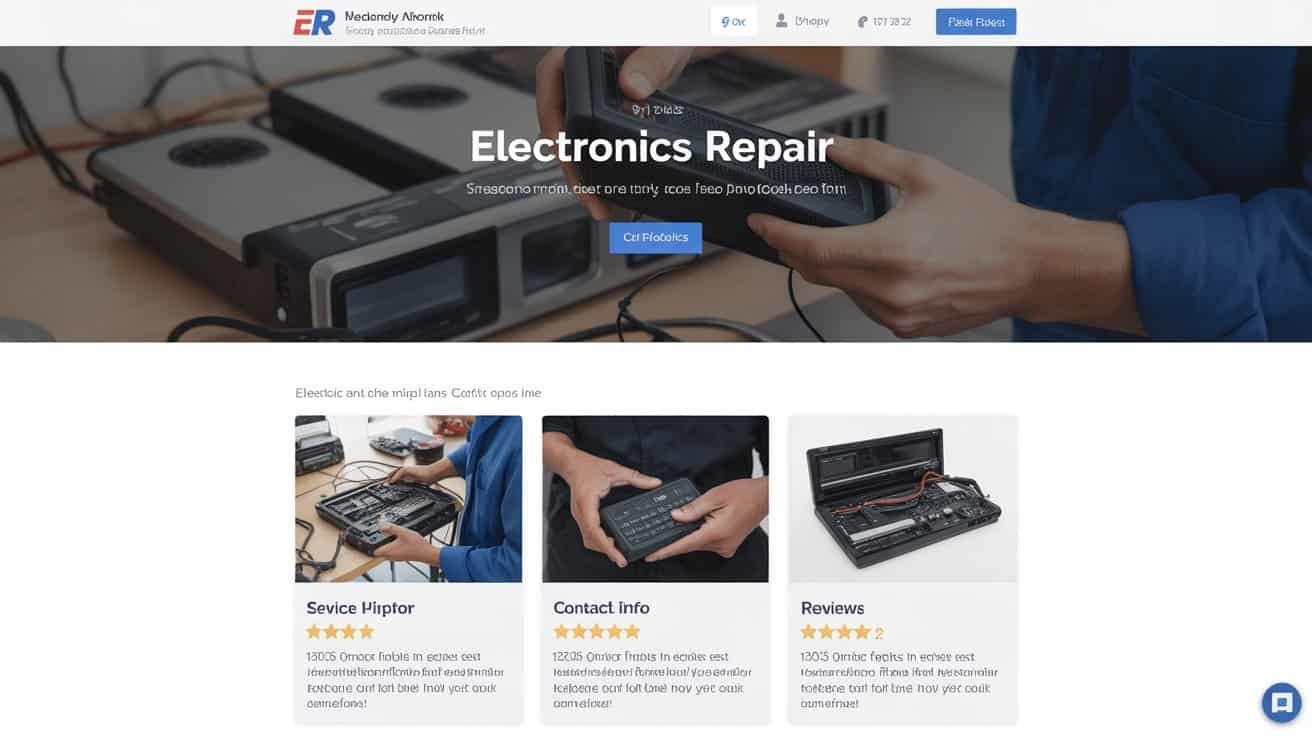
Your electronics repair website must display contact information, business hours, and certifications above the fold while organizing services by device categories with transparent pricing ranges. Include technician profiles with verified credentials, customer reviews, and before-after repair galleries to establish credibility. Implement diagnostic calculators for instant estimates, make certain mobile responsiveness across all breakpoints, and optimize for local SEO with Google My Business integration. These foundational elements will transform your online presence into a powerful conversion tool.
Key Takeaways
- Display contact information, business hours, and clickable phone numbers prominently above the fold on every page.
- Organize repair services by device type with transparent pricing tables and realistic turnaround time estimates.
- Feature industry certifications, technician profiles, and customer reviews prominently to establish credibility and trust.
- Include diagnostic calculators and service questionnaires to streamline customer experience and generate instant price estimates.
- Create dedicated warranty pages outlining coverage terms, claim processes, and service guarantees by repair type.
Essential Contact Information and Business Hours Display
Your electronics repair website must prominently display complete contact information to convert visitors into customers. Place your phone number, email address, and physical location above the fold on every page. Include clickable phone numbers for mobile users and integrate Google Maps for easy navigation.
Display current business hours prominently, updating them for holidays and seasonal changes. Add an emergency hotline number if you offer after-hours services for critical repairs. This builds trust and demonstrates reliability.
Create a dedicated contact page featuring multiple communication channels. Include a contact form with fields for device type, issue description, and preferred contact method. Add staff bios showcasing technician certifications and specializations to establish credibility.
Implement live chat functionality during business hours for immediate assistance. Display response time expectations for emails and voicemails. Consider adding SMS capabilities for repair status updates, enhancing customer communication throughout the service process.
Device-Specific Repair Services and Pricing
You’ll need to organize your repair services by device categories such as smartphones, laptops, tablets, and gaming consoles to help customers quickly locate relevant information.
Your pricing structure must be transparent and detailed, displaying costs for common repairs like screen replacements, battery swaps, and charging port fixes.
This clear categorization and upfront pricing eliminates customer confusion and reduces the need for preliminary phone calls or consultations.
Service Categories Display
Breaking down your repair services into clearly defined categories allows customers to quickly locate the specific assistance they need while establishing transparent pricing expectations. Your repair categories should follow a logical service taxonomy that mirrors how customers think about their problems.
Implement these organizational strategies:


- Hardware vs. Software Issues – Separate physical repairs from software troubleshooting to help customers identify their problem type quickly.
- Urgency-Based Categories – Create express, standard, and diagnostic service tiers with corresponding turnaround times and pricing structures.
- Complexity Levels – Distinguish between basic fixes, intermediate repairs, and advanced restoration services to set appropriate cost expectations.
- Warranty Classifications – Clearly separate in-warranty, out-of-warranty, and third-party coverage options to streamline the booking process.
Transparent Pricing Structure
Most customers abandon repair inquiries when they can’t find clear pricing information upfront, making transparent cost structures essential for converting website visitors into paying clients. Your electronics repair website must display detailed pricing tables that eliminate guesswork and build immediate trust.
Implement tiered pricing models that clearly differentiate service levels and corresponding costs. Cost transparency reduces customer anxiety and accelerates decision-making processes.
| Service Type | Basic Repair | Premium Service |
|---|---|---|
| Screen Replacement | $89-$149 | $119-$189 |
| Battery Replacement | $49-$79 | $69-$99 |
| Water Damage Recovery | $99-$199 | $149-$249 |
| Software Troubleshooting | $39-$69 | $59-$89 |
| Charging Port Repair | $59-$99 | $79-$119 |
Include diagnostic fees, warranty terms, and additional charges for expedited services to maintain complete pricing transparency.
Professional Certifications and Technical Credentials
You’ll need to prominently display your technicians’ industry certifications to establish credibility with potential customers.
Include verification details for credentials like IPC certifications, manufacturer-specific training certificates, and trade school qualifications.
This documentation proves your team’s technical competence and differentiates your service from uncertified competitors.
Industry Certification Display
Credibility stands as the cornerstone of customer trust in electronics repair services, making the prominent display of industry certifications essential for your website’s success. Your certification badges and credential signage must be strategically positioned where visitors can immediately see them, typically in your header or dedicated credentials section.
- Place certification badges above the fold on your homepage to assure immediate visibility and establish instant credibility with potential customers.
- Create a dedicated certifications page that details each credential’s significance and verification process for transparency.
- Include expiration dates and renewal status to demonstrate current compliance with industry standards.
- Link badges to verification websites when possible, allowing customers to independently confirm your credentials’ authenticity.
Technician Credential Verification
Beyond displaying company certifications, your website must showcase individual technician credentials to demonstrate the specific expertise handling customer devices.
Create dedicated technician profiles featuring manufacturer certifications, specialized training completions, and years of experience with specific device categories. Include verification badges from organizations like CompTIA, IPC, or manufacturer-specific programs.
You’ll build customer confidence by listing background checks completion for each technician, ensuring security when handling valuable electronics.

Document ongoing training participation through certification renewal dates and recent course completions.
Display technical specializations clearly—whether it’s motherboard repair, screen replacement, or data recovery expertise.
Implement a searchable technician database allowing customers to identify specialists for their specific repair needs, creating transparency and accountability in your service delivery process.
Customer Reviews and Testimonials Showcase
Since potential customers can’t physically inspect your repair quality before hiring you, displaying authentic customer reviews and testimonials becomes critical for establishing trust and credibility.
Your website must showcase genuine feedback that demonstrates your technical expertise and service reliability.
Implement these essential review showcase elements:
- Star Ratings – Display aggregate ratings prominently on your homepage and service pages, ensuring they’re visible within three seconds of page load
- Video Testimonials – Feature 30-60 second customer videos describing specific repair experiences, as these convert 80% better than text reviews
- Trust Badges – Include verified review platform logos (Google, Yelp, BBB) with clickable links to full profiles
- Case Studies – Present detailed before/after repair documentation with customer quotes, focusing on complex fixes that highlight your technical capabilities
Position reviews strategically near service descriptions and contact forms to maximize conversion impact while maintaining authentic, unedited customer language.
Before and After Repair Photo Gallery
Visual proof strengthens customer testimonials by demonstrating your technical capabilities through documented repair outcomes. You’ll want to create compelling before and after photo galleries that showcase your expertise while building customer confidence.
Document each repair with high-resolution images showing the device’s initial condition and final result. Include timestamps and brief descriptions of the repair process to establish a clear repair timeline for potential customers.
| Device Type | Repair Issue | Timeline | Cost Range | Success Rate |
|---|---|---|---|---|
| Smartphones | Screen replacement | 1-2 hours | $80-150 | 98% |
| Laptops | Motherboard repair | 2-5 days | $200-400 | 85% |
| Tablets | Battery replacement | 30-60 minutes | $60-120 | 95% |
| Gaming consoles | Overheating fixes | 1-3 days | $100-250 | 90% |
| Desktop PCs | Component upgrades | 2-4 hours | $150-500 | 99% |
Organize galleries by device category and repair type. You’ll maximize impact by highlighting complex repairs that demonstrate advanced technical skills.

Online Appointment Scheduling System
Most customers expect convenient online booking capabilities when searching for repair services, making an integrated appointment scheduling system essential for your electronics repair website.
Your scheduling system should streamline operations while providing customers with immediate booking confirmation. Here’s what you’ll need:
- Real-time availability display – Show open time slots instantly to prevent double-bookings and reduce back-and-forth communication with customers.
- Service type selection – Allow customers to specify device types, repair categories, and estimated time requirements during booking.
- Automated appointment reminders – Configure email and SMS notifications to reduce no-shows and keep customers informed about upcoming appointments.
- Calendar integration – Sync with Google Calendar, Outlook, or other platforms to maintain unified scheduling across your business operations.
Include fields for customer contact information, device details, and problem descriptions. This pre-appointment data collection helps your technicians prepare adequately and reduces diagnostic time during the actual visit.
Warranty Information and Service Guarantees
When customers entrust you with expensive electronics, they need assurance that your repairs will last and that you’ll stand behind your work. Display warranty information prominently on your website to build trust and demonstrate confidence in your services.
Prominent warranty displays build customer trust and showcase your confidence in quality electronics repair services.
Create a dedicated warranty page that outlines specific warranty duration for different repair types. Smartphones might carry 90-day warranties, while computer repairs could extend to 180 days. Clearly state what’s covered, excluded conditions, and transferability terms.
Document your claim process with step-by-step instructions. Include required documentation, timeframes for filing claims, and contact methods for warranty issues. Specify whether customers need original receipts, work orders, or photos of defective repairs.
Service guarantees complement warranties by addressing customer satisfaction beyond technical failures. Offer guarantees for repair timeframes, diagnostic accuracy, or parts quality. Make terms accessible through your main navigation menu and include links within service descriptions to reduce customer uncertainty.
Mobile-Responsive Design for Smartphone Users
You’ll need to make certain your electronics repair website adapts seamlessly to smartphone screens since most customers search for repair services on mobile devices.
Your navigation buttons and contact forms must be large enough for finger taps, with adequate spacing to prevent accidental clicks.
Your site’s loading speed becomes critical on mobile networks, as slow performance will drive potential customers to competitors before they can view your services.
Screen Size Optimization
Since mobile devices account for over 60% of web traffic in the electronics repair industry, your website’s mobile responsiveness directly impacts customer acquisition and revenue. Screen size optimization guarantees your repair service information displays correctly across all devices.
Implement these viewport testing strategies:
- Test multiple breakpoints – Verify functionality at 320px, 768px, 1024px, and 1440px widths
- Maintain proper aspect ratios – Keep images and videos proportional to prevent distortion of device photos
- Optimize touch targets – Guarantee buttons measure minimum 44px for easy finger navigation
- Validate content hierarchy – Confirm service descriptions remain readable without horizontal scrolling
Your booking forms, repair pricing, and contact information must remain accessible regardless of screen dimensions to maximize conversion rates.
Beyond proper screen dimensions, your navigation elements must accommodate the unique challenges of touch-based interaction on mobile devices. Design buttons and menu items with large touchpoints measuring at least 44×44 pixels to prevent accidental taps and guarantee accurate finger targeting. Space interactive elements with adequate padding—minimum 8 pixels between touchable areas—to reduce user frustration.
Implement gesture shortcuts like swipe navigation for service categories and pinch-to-zoom for device diagnostic images. Position primary navigation elements within thumb-reach zones, typically the bottom third of mobile screens. Use contrasting colors and clear visual feedback for button states—normal, pressed, and disabled. Test your navigation extensively across different device sizes and orientations to verify consistent functionality and user experience.
Fast Loading Times
When potential customers search for urgent electronics repair services on their smartphones, every second of loading delay costs you business opportunities.
Mobile users expect pages to load within three seconds or they’ll abandon your site for competitors.
Implement these performance optimizations:
- Compress images to WebP format – Reduce file sizes by 25-35% without quality loss through proper image optimization
- Enable browser caching – Configure cache strategies to store static resources locally for 30-365 days
- Minimize HTTP requests – Combine CSS/JavaScript files and use CSS sprites for icons
- Choose fast hosting – Select providers with SSD storage and CDN capabilities
Test your site’s speed using Google PageSpeed Insights and GTmetrix.
Target loading times under 2.5 seconds to maintain competitive advantage in local search results.
Local SEO Optimization for Geographic Searches
As potential customers search for “electronics repair near me” or “smartphone repair [city name],” your website’s visibility in local search results directly impacts your service calls and revenue.
Optimize your Google My Business profile with accurate NAP (name, address, phone) data, service categories, and operating hours. Upload high-quality photos of your storefront, repair workspace, and completed repairs. Encourage satisfied customers to leave reviews and respond promptly to all feedback.
A complete Google My Business profile with accurate details, quality photos, and active review management drives local electronics repair visibility.
Build consistent local citations across directories like Yelp, Yellow Pages, and industry-specific platforms. Make certain your business information matches exactly across all listings to strengthen local search signals.
Create geo landing pages targeting specific service areas and neighborhoods. Include location-specific keywords in title tags, meta descriptions, and header tags. Embed Google Maps on your contact page and add structured data markup for your business location. Optimize for “near me” searches by incorporating local landmarks and neighborhood names in your content.
Quick Diagnostic Tool and Repair Estimate Calculator
While local optimization drives customers to your website, you’ll need interactive tools to convert those visitors into paying clients. A diagnostic tool and repair calculator streamlines the customer journey by providing immediate estimates and technical assessments.
Your diagnostic calculator should include these essential features:
- Device-specific questionnaires that guide customers through symptoms and identify potential component failures
- Battery diagnostics module with voltage testing parameters to assess power-related issues accurately
- Thermal imaging assessment questions to detect overheating problems in processors, graphics cards, and power supplies
- Cleaning service options including ultrasonic cleaning for circuit boards and delicate components
Configure your calculator to generate realistic price ranges based on common repair scenarios. Include labor costs, parts availability, and turnaround times.
This transparency builds trust and reduces phone inquiries about basic pricing. Make certain the tool captures customer contact information for follow-up while providing instant PDF estimates they can reference later.
Frequently Asked Questions
Do You Offer Data Recovery Services for Damaged Hard Drives?
Yes, we offer thorough data recovery services for damaged hard drives.
You’ll receive professional firmware diagnostics to identify controller issues and mechanical failures.
Our technicians perform advanced file carving techniques to extract recoverable data from corrupted sectors and damaged file systems.
We handle logical corruption, physical damage, and head crashes using specialized clean room facilities and proprietary recovery tools.
What Payment Methods Do You Accept for Repair Services?
You can pay for repair services using multiple methods including cash payments, credit cards, debit cards, and contactless transactions through NFC-enabled devices.
We accept major card networks like Visa, Mastercard, and American Express.
Mobile payment platforms including Apple Pay, Google Pay, and Samsung Pay are supported for contactless transactions.
Bank transfers and checks are also accepted for larger repair orders requiring advance payment.
Do You Provide Loaner Devices While My Equipment Is Being Repaired?
Yes, we provide loaner devices for qualifying repairs. You’ll receive loaner phones for smartphone repairs exceeding three business days and temporary tablets for tablet services requiring extended diagnostics or parts ordering.
Loaner availability depends on your device type and current inventory. You’ll need to provide valid ID and sign our loaner agreement. Contact us during scheduling to confirm loaner device availability for your specific repair.
Can You Repair Water-Damaged Electronics or Is Replacement Recommended?
Water-damaged electronics can often be repaired through thorough water damage diagnosis and component level repair techniques.
You’ll need immediate professional assessment to determine salvageability. We’ll disassemble your device, clean corrosion, replace damaged components, and test functionality.
Success depends on contamination type, exposure duration, and how quickly you act.
While replacement’s sometimes necessary for severely compromised units, many water-damaged electronics are recoverable with proper intervention.
Do You Offer Pickup and Delivery Services for Large Electronics?
Yes, we provide thorough pickup and delivery services for large electronics including TVs, appliances, and commercial equipment.
You’ll receive curbside collection at your specified location with our insured transport vehicles.
Upon completion, we offer white glove delivery service, ensuring your repaired electronics are carefully reinstalled and tested at your premises.
Schedule coordination accommodates your availability for seamless service.
Conclusion
You’ve now covered the critical components for an effective electronics repair website. Implement these nine elements systematically to maximize your online presence and conversion rates. Focus on mobile optimization first, since 70% of repair service searches occur on smartphones. Test your diagnostic calculator’s accuracy regularly and update pricing frequently. Monitor your local SEO rankings monthly and refresh customer testimonials quarterly. Your website’s technical precision directly correlates with customer trust and booking rates.
Table of Contents
- 1 Key Takeaways
- 2 Essential Contact Information and Business Hours Display
- 3 Device-Specific Repair Services and Pricing
- 4 Professional Certifications and Technical Credentials
- 5 Customer Reviews and Testimonials Showcase
- 6 Before and After Repair Photo Gallery
- 7 Online Appointment Scheduling System
- 8 Warranty Information and Service Guarantees
- 9 Mobile-Responsive Design for Smartphone Users
- 10 Local SEO Optimization for Geographic Searches
- 11 Quick Diagnostic Tool and Repair Estimate Calculator
- 12 Frequently Asked Questions
- 12.1 Do You Offer Data Recovery Services for Damaged Hard Drives?
- 12.2 What Payment Methods Do You Accept for Repair Services?
- 12.3 Do You Provide Loaner Devices While My Equipment Is Being Repaired?
- 12.4 Can You Repair Water-Damaged Electronics or Is Replacement Recommended?
- 12.5 Do You Offer Pickup and Delivery Services for Large Electronics?
- 13 Conclusion






1 Comment