
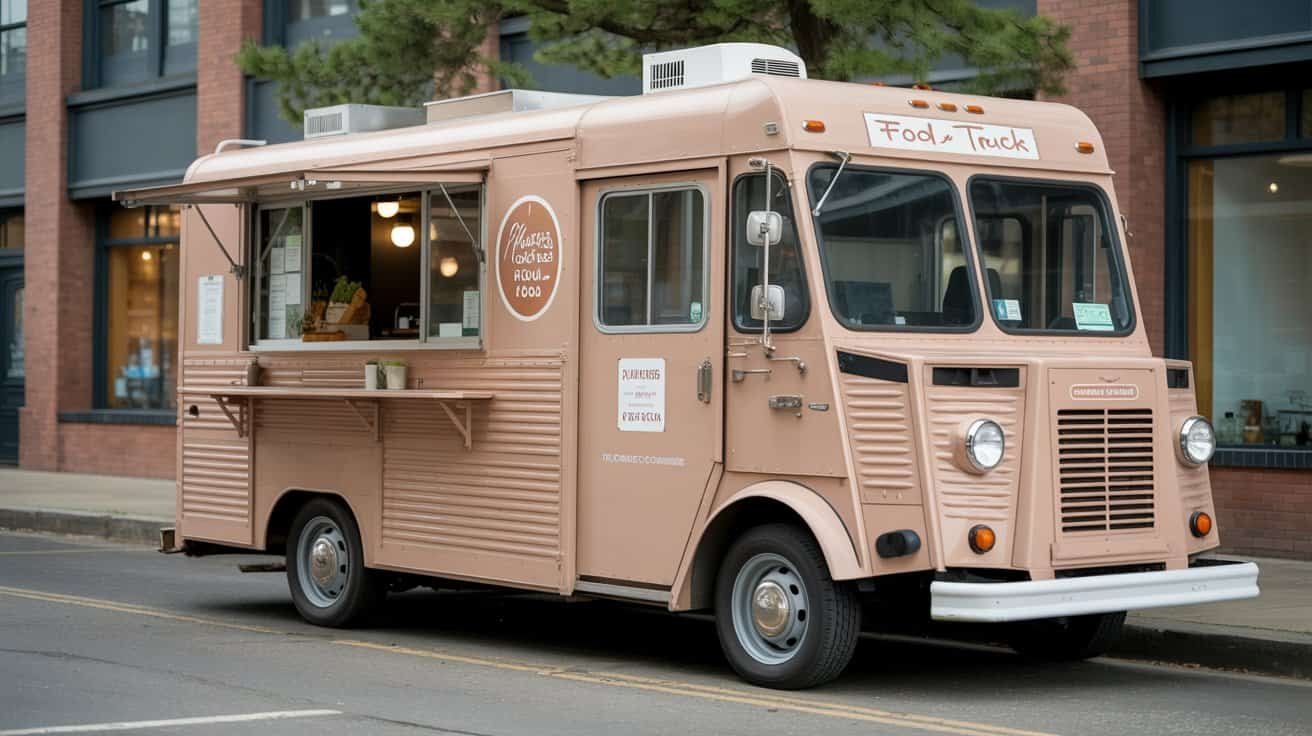
Your food truck website needs mobile-first design since 80% of local searches happen on smartphones, real-time location tracking so customers can find you, and high-quality food photos that make mouths water. Include online ordering to reduce wait times, prominent contact info, your brand story, and local SEO optimization. Don’t forget social media integration, event booking capabilities, and fast loading speeds under three seconds. These essential elements will transform hungry searchers into loyal customers who’ll keep coming back for more.
Key Takeaways
- Optimize for mobile-first design with fast loading times under three seconds and touch-friendly navigation within three taps maximum.
- Display real-time location updates and today’s schedule prominently on homepage with GPS tracking and automatic notifications for changes.
- Include high-quality food photography with clear pricing, organized menu categories, and online ordering system for ahead-of-time purchases.
- Claim Google My Business listing, encourage customer reviews, and create location-specific pages targeting local neighborhood keywords.
- Showcase founder story, consistent branding elements, customer testimonials, and embedded social media feeds to build credibility and trust.
Since most customers will discover your food truck through their smartphones while searching for nearby dining options, your website must function flawlessly on mobile devices.
Your food truck’s mobile website performance directly impacts customer discovery and conversion since smartphone searches drive most dining decisions.
Your mobile design needs touch friendly buttons that customers can easily tap without accidentally hitting adjacent elements. Standard desktop buttons often frustrate mobile users, so make yours at least 44 pixels square. Implement thumb friendly spacing between all clickable elements – your menu items, contact buttons, and location links should have adequate breathing room.
Test your navigation menu on actual phones, not just browser simulators. Hamburger menus work well for food trucks since you’ll have fewer pages than restaurants. Make sure your most critical information – location, hours, and menu – appears within three taps maximum.
Keep loading times under three seconds by optimizing images and avoiding unnecessary plugins. Budget-conscious food truck owners can use responsive WordPress themes specifically designed for mobile-first experiences rather than expensive custom development.
Real-Time Location Tracking and Schedule Updates
Food truck customers constantly abandon their search when they can’t find your current location or operating hours. You’re losing sales every minute your website displays outdated information.
Install GPS tracking that automatically updates your location on your website. Free options like Google My Business work, but dedicated food truck apps offer better GPS updates and customer notifications. Connect your point-of-sale system to push real-time location changes without manual input.
Display today’s schedule prominently on your homepage. Schedule syncing between your planning software and website eliminates the hassle of updating multiple platforms. Use simple tools like Calendly or even Google Calendar embedded widgets for budget-friendly solutions.
Set up automatic notifications when you’re running late or changing locations. Push notifications through your website keep customers informed and reduce frustration. Consider adding a simple “We’re Here Now” button that customers can check before making the trip to your truck.
Complete Menu With High-Quality Food Photography
Your menu’s the heart of your food truck website, and you’ll need sharp, appetizing photos that make customers hungry before they even arrive.


You can’t afford to skimp on food photography since blurry phone shots will cost you sales, but you don’t need a professional photographer if you master basic lighting and composition techniques.
Smart menu organization and strategic pricing display will guide customers smoothly from browsing to ordering, turning website visitors into paying customers.
Professional Food Photography Tips
The quality of your menu photos can make or break a potential customer’s decision to visit your food truck. You don’t need expensive equipment to capture mouth-watering images that drive sales.
Use natural lighting whenever possible – it’s free and makes food look fresh and appetizing. Shoot during golden hour or near windows for soft, even illumination. Avoid harsh flash that creates unflattering shadows.
Take candid shots of customers enjoying your food to build trust and showcase real experiences. Clean your serving containers before photographing and use simple backgrounds that don’t distract from the food. Shoot from multiple angles to highlight textures and ingredients. Edit photos lightly to enhance colors without making them look artificial or oversaturated.
Menu Organization Best Practices
Once you’ve captured stunning photos of your dishes, organizing them effectively on your website menu becomes your next priority. Group similar items together—appetizers, mains, desserts—and keep your categories simple. List your most profitable dishes first within each section to catch customers’ eyes immediately.
Include clear pricing and detailed descriptions with portion sizing information. Don’t make people guess whether your burger feeds one or two. Add allergen labeling prominently next to each item—it’s not just helpful, it’s often legally required.
Keep your menu concise. Too many options overwhelm customers and slow down your kitchen operations. Update seasonal items regularly, but maintain your signature dishes that customers expect. Use consistent formatting throughout for a professional appearance.
Pricing Display Strategies
Pricing decisions can make or break your food truck’s profitability, especially when customers scan your menu in seconds while standing in line.
You’ll want to display prices clearly without overwhelming potential buyers. Use menu psychology by positioning your premium items first – customers anchor on those higher prices, making your regular offerings seem reasonable.

Consider dynamic pricing during peak hours or special events when demand’s high. Bundle popular items together to increase average order value.
Don’t hide prices or make customers hunt for them – transparency builds trust. Use dollar signs sparingly; studies show “$12” feels less expensive than “$12.00.” Position prices to the right of menu descriptions, and guarantee they’re readable from ordering distance.
Your pricing strategy should reflect quality while remaining competitive within your local market.
Social Media Integration and Feed Display
You’ll want to connect your food truck’s social media accounts directly to your website to showcase real-time customer engagement and build trust with potential visitors.
Setting up platform connections for Instagram, Facebook, and Twitter takes minimal technical skills but creates maximum impact by displaying fresh content automatically.
A live social feed on your homepage proves you’re actively serving customers and keeps your site dynamic without requiring constant manual updates.
Platform Connection Setup
Since customers increasingly discover food trucks through social media, connecting your website to your active platforms becomes essential for maintaining engagement and driving sales. You’ll need to establish API integration between your website and platforms like Instagram, Facebook, and Twitter. Most website builders offer built-in social media widgets that don’t require technical expertise or additional costs.
Start with Instagram since food photos drive customer decisions. Connect your business account through the platform’s basic API to automatically display your latest posts. Facebook integration works similarly and helps showcase customer reviews and event updates.
Don’t overcomplicate the setup—choose one or two primary platforms initially. Just like selecting a payment gateway, focus on reliability over fancy features. Test connections regularly to make certain feeds update properly and maintain customer trust.
Live Feed Display
Once you’ve connected your social platforms, displaying live feeds on your website creates dynamic content that keeps visitors engaged without requiring constant manual updates.

Your food truck website becomes a real-time window into your business through strategic feed placement.
Consider these essential elements:
- Social media streams – Embed Instagram or Twitter feeds showing fresh posts, customer photos, and daily specials
- Live camera integration – Install a simple webcam at your truck to show current location and queue status
- Real time comments section – Display customer reviews and feedback as they happen across platforms
Position feeds prominently on your homepage where they’re immediately visible.
Most social platforms offer free embed codes that require minimal technical knowledge.
This approach saves you from constantly updating static content while showcasing authentic customer experiences and building trust with potential visitors.
Online Ordering and Payment Processing System
Transform your food truck’s efficiency by implementing an online ordering system that lets customers place orders ahead of time and pay digitally. You’ll reduce wait times, increase order accuracy, and boost revenue through streamlined operations.
Choose platforms like Square, Toast, or ChowNow that offer food truck-specific features without breaking your budget. Look for systems with secure checkout options that accept credit cards, mobile payments, and digital wallets. Many providers offer affordable subscription plans starting around $50-100 monthly, which typically pay for themselves through increased order volume.
Essential features include menu customization, order scheduling, pickup notifications, and integration with your POS system. You’ll want mobile-optimized interfaces since most customers order from smartphones. Consider platforms that sync with your social media and website for seamless customer experience.
Test the system thoroughly before launch, train your staff on order management, and clearly communicate pickup procedures to avoid confusion during busy service periods.
Customer Reviews and Testimonials Section
You’ll build trust with potential customers by showcasing authentic testimonials that highlight real experiences with your food truck.
You should actively encourage satisfied customers to submit reviews through simple forms or social media integration, making the process quick and accessible.
You’ll need to moderate all submissions to maintain quality standards and guarantee the content reflects positively on your brand while staying genuine.
Display Authentic Testimonials
Prospective customers consistently rely on social proof before deciding where to spend their hard-earned money, making authentic testimonials one of your website’s most powerful conversion tools.
You don’t need expensive PR campaigns—genuine customer feedback drives sales more effectively than polished marketing copy.
Focus on gathering diverse testimonials that showcase your food truck’s appeal across different customer segments:
- Veteran endorsements from loyal customers who’ve followed your truck since day one
- Neighborhood influencers like local business owners, community leaders, or food bloggers
- First-time visitors who can speak to your welcoming atmosphere and quality
Include photos alongside testimonials when possible, and always get written permission before posting.
Keep testimonials concise but specific—details about favorite menu items or exceptional service experiences resonate more than generic praise.
Encourage User Submissions
Building on your collection of testimonials, you’ll want to set up systems that actively pull in fresh customer feedback without constant manual effort. Smart food truck owners create automated submission processes that generate content while building customer loyalty.
Set up simple submission forms for different types of content:
| Submission Type | Collection Method | Incentive Offered |
|---|---|---|
| Photo Reviews | Instagram hashtag campaigns | 10% off next order |
| Community recipes | Email submission form | Featured customer spotlight |
| User photo contests | Monthly themed challenges | Free meal prize |
| Video testimonials | QR code to upload portal | Branded merchandise |
| Written reviews | Post-purchase text link | Loyalty points |
These strategies transform satisfied customers into active content creators, providing you with authentic marketing material while strengthening community connections around your brand.
Moderate Content Quality
While customer submissions provide valuable content, maintaining quality standards protects your food truck’s reputation and keeps visitors engaged. You’ll need clear moderation guidelines to filter inappropriate content while preserving authentic customer voices.
Establish specific criteria for acceptable reviews and testimonials:
- Review accuracy requirements – Verify submissions mention actual menu items, seasonal menus, or services you offer
- Content appropriateness standards – Remove profanity, spam, or off-topic comments that don’t relate to your food truck experience
- Safety compliance checks – Flag reviews mentioning allergen labeling concerns or food safety issues for immediate attention
Set up automated filters for obvious spam, but manually review borderline cases. You can’t afford negative content damaging your reputation, especially when competing with established restaurants. Quick response times show you’re actively engaged with customers.
Contact Information and Communication Channels
How will hungry customers reach you when your truck isn’t parked outside their office? Your contact information needs to be bulletproof and visible everywhere on your site.
Display your phone number prominently in the header and footer. Create a dedicated contact page with multiple communication channels: phone, email, and social media links. Don’t forget SMS Alerts – they’re cheap and effective for notifying customers about location changes or daily specials.
Make your phone number impossible to miss – header, footer, everywhere – and set up SMS alerts to keep hungry customers hunting you down.
Include your business hours and typical service areas. Add a simple contact form for catering inquiries or special requests. Make sure your Google My Business listing matches your website information exactly.
Consider Accessibility Options like larger fonts for contact details and screen reader-friendly formatting. These features cost nothing but expand your customer base noticeably.
Test all contact methods monthly. A disconnected phone number or broken email form means lost sales you’ll never recover.
About Your Story and Brand Identity
Since customers can’t taste your food through a screen, your story becomes the hook that transforms casual browsers into loyal customers.
Your founder journey shouldn’t read like a novel—it needs to connect emotionally while staying authentic. Share what drove you to start your food truck, whether it’s family recipes, culinary passion, or community connection. Keep it personal but concise.
Your visual tone must align with your story across every element:
- Color palette – Choose 2-3 colors that reflect your cuisine and personality
- Typography – Select fonts that match your vibe, from rustic script to clean modern
- Photography style – Maintain consistency in lighting, angles, and food styling
Budget-conscious owners can create compelling brand identity without expensive agencies. Use free tools like Canva for basic design elements, but invest time in crafting your narrative. Your story differentiates you from competitors serving similar food—make it count.
Event Booking and Catering Services Page
Although walk-up customers provide steady income, private events and catering gigs can triple your daily revenue with a single booking. Your event booking page needs to work as hard as you do.
Create separate sections for corporate catering, wedding services, and private parties. Include package pricing tiers with clear descriptions—basic lunch service, full-service with staff, premium options with upgraded menus. Post minimum order requirements and advance booking timelines upfront.
Add a detailed inquiry form capturing event date, guest count, venue location, and budget range. This pre-qualifies leads and saves you time on unsuitable requests.
Display testimonials from satisfied corporate clients and showcase photos from past events. List your venue partnerships prominently—established relationships with event spaces build credibility.
Provide downloadable contract templates or link to your booking system. Make it easy for clients to secure your services immediately. Include your availability calendar to prevent scheduling conflicts.
Search Engine Optimization for Local Discovery
When potential customers search “food truck near me” at lunch time, you need to appear in those results or lose sales to competitors who do. Local SEO drives hungry customers directly to your wheels, making it essential for sustainable revenue.
Start with Google My Business optimization. Claim your listing, upload mouth-watering photos, and maintain accurate hours and location updates. Encourage satisfied customers to leave reviews since they directly impact your local ranking.
Focus on these optimization strategies:
- Target local keywords like “tacos downtown [your city]” or “lunch truck [neighborhood name]” throughout your website content
- Build map citations by listing your business on Yelp, Yellow Pages, and local directories with consistent NAP information
- Create location-specific pages for regular stops and popular events you frequent
Don’t overlook mobile optimization since 80% of local searches happen on smartphones. Fast-loading pages and easy-to-find contact information convert searchers into customers.
Frequently Asked Questions
How Much Does It Cost to Build a Food Truck Website?
You’ll spend $500-$5,000 depending on your approach and budget ranges. DIY website builders cost $10-$50 monthly, while custom designs run $2,000-$5,000.
Don’t forget hosting options like shared hosting ($5-$15/month) or managed WordPress ($20-$100/month). You can start cheap with templates and upgrade later. Factor in domain registration ($10-$15 yearly) and any premium plugins you’ll need for online ordering or reservations.
Do I Need a Business License Before Launching My Food Truck Website?
You don’t need a business license before launching your food truck website, but you should handle business registration early in your planning process.
Your domain timing isn’t tied to licensing requirements – you can secure your domain and build your site while paperwork’s processing.
However, you’ll definitely need proper licenses before serving food. Start your website now to build buzz while handling legal requirements.
What Happens if My Truck Breaks Down During Scheduled Service Hours?
You’ll need a solid backup plan before breakdowns happen.
Get roadside assistance coverage through your commercial insurance or AAA.
Keep a trusted mechanic’s number handy and maintain an emergency fund for repairs.
When you’re down, immediately notify customers through social media and your website.
Consider partnering with another food truck owner for mutual backup coverage during emergencies.
How Do I Handle Food Safety Certifications and Health Department Requirements?
You’ll need your food handler’s license and manager certification first.
Contact your local health department for specific requirements and inspection schedules.
Get allergen training for your staff since you’ll likely need menu labeling with ingredient lists.
Budget around $200-500 for initial certifications and permits.
Keep temperature logs, cleaning schedules, and documentation ready for surprise inspections.
Renew certifications annually to stay compliant.
Should I Trademark My Food Truck Name and Logo Before Going Online?
You should file for trademark protection before launching your website, but trademark timing can be flexible if you’re budget-conscious.
Start with a basic trademark search to ensure your name’s available, then file an “intent to use” application.
For logo protection, you can begin with a simple design and trademark it later once your brand evolves.
This approach protects your online presence while managing upfront costs effectively.
Conclusion
You’ve got the essentials now—prioritize mobile-first design since most customers’ll find you on their phones. Don’t blow your budget on fancy features; focus on location tracking, a solid menu with decent photos, and basic online ordering. Skip expensive plugins if you’re starting out—free social media feeds and Google My Business will handle most of your local SEO needs. Build these core elements first, then expand as your truck grows.
Table of Contents
- 1 Key Takeaways
- 2 Mobile-Responsive Design and Navigation
- 3 Real-Time Location Tracking and Schedule Updates
- 4 Complete Menu With High-Quality Food Photography
- 5 Social Media Integration and Feed Display
- 6 Online Ordering and Payment Processing System
- 7 Customer Reviews and Testimonials Section
- 8 Contact Information and Communication Channels
- 9 About Your Story and Brand Identity
- 10 Event Booking and Catering Services Page
- 11 Search Engine Optimization for Local Discovery
- 12 Frequently Asked Questions
- 12.1 How Much Does It Cost to Build a Food Truck Website?
- 12.2 Do I Need a Business License Before Launching My Food Truck Website?
- 12.3 What Happens if My Truck Breaks Down During Scheduled Service Hours?
- 12.4 How Do I Handle Food Safety Certifications and Health Department Requirements?
- 12.5 Should I Trademark My Food Truck Name and Logo Before Going Online?
- 13 Conclusion









No Comments