

Top 5 Free Website Builders Compared: Best Picks
You’ll find Wix’s free plan offers 500MB storage with subdomain limitations, while WordPress.com provides 3GB storage but restricts plugin installations. Weebly delivers 40+ responsive templates through drag-and-drop functionality, though advanced features require upgrades. Squarespace’s 14-day trial grants full premium access but expires automatically. Google Sites integrates seamlessly with your existing account, offering 15GB shared storage and automatic SSL deployment. Each platform presents distinct trade-offs between functionality and scalability that determine your best choice.
Key Takeaways
- Wix offers 500MB storage with basic templates but includes mandatory ads and lacks e-commerce functionality on free plans.
- WordPress.com provides 3GB storage and SEO-friendly features but restricts plugin installation and monetization options.
- Weebly features drag-and-drop editing with 40+ templates but limits advanced functionality and includes platform branding.
- Squarespace offers premium features during 14-day trial but requires payment to remove password protection and continue.
- Google Sites integrates seamlessly with Google services offering 15GB shared storage but provides limited customization options.
Wix Free Plan: Features and Limitations
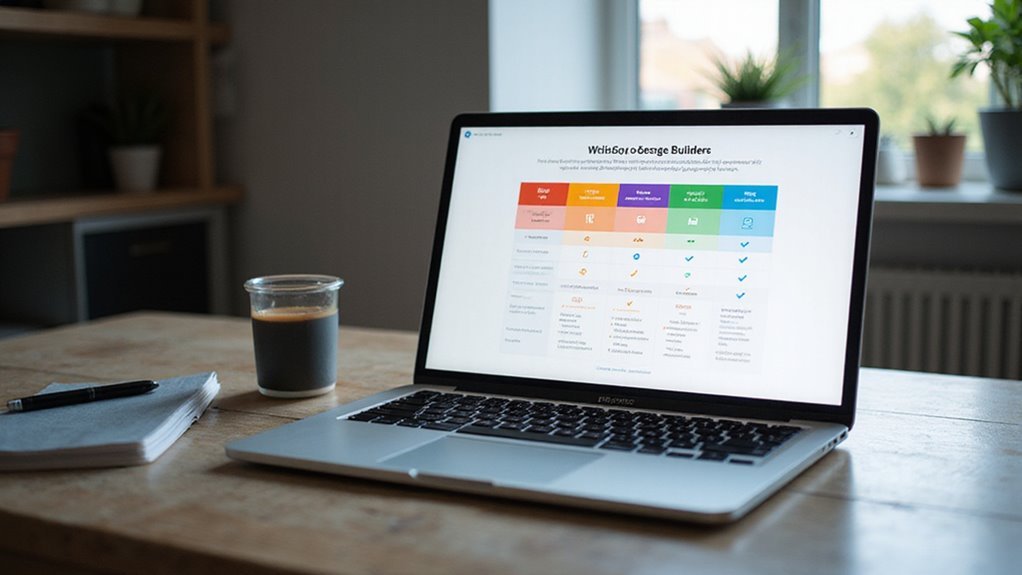
When evaluating Wix’s free tier, you’ll encounter a bare-bones package that restricts your domain to a wix.com subdomain and injects Wix branding throughout your site.
You’ll get 500MB storage and 1GB monthly bandwidth—insufficient for media-rich sites or substantial traffic. The platform limits you to basic Wix templates without customization flexibility, though you can access their drag-and-drop editor.
Performance suffers with slower loading speeds due to server limitations and mandatory ads. You can’t remove Wix branding, which appears prominently in headers and footers, undermining professional credibility.
Wix SEO capabilities are severely restricted. You can’t connect Google Analytics, access advanced SEO tools, or implement custom meta tags. The subdomain structure inherently limits search engine visibility and ranking potential.
E-commerce functionality is completely disabled—no payment processing, product catalogs, or inventory management.
You’re also restricted from accessing premium apps, custom fonts, and advanced design features that paid plans offer.
WordPress.com Free Tier: Pros and Cons

WordPress.com’s free tier operates on a fundamentally different architecture than Wix, offering you access to the core WordPress CMS while imposing distinct hosting limitations.
You’ll get 3GB storage with a wordpress.com subdomain, but you can’t install plugins or upload custom themes.
Pros:


- Access to WordPress’s robust content management system
- SEO-friendly URL structure and meta controls
- Customization options include limited CSS editing capabilities
- Mobile-responsive default themes with clean code output
- Built-in analytics and performance monitoring tools
Cons:
- WordPress.com branding appears on your site footer
- No plugin installation restricts functionality expansion
- Limited theme customization without premium upgrade
- No monetization allowed through ads or e-commerce
- User experience suffers from restricted administrative access
The platform prioritizes content publishing over advanced website development.
You’ll find it suitable for blogs and simple portfolios, but complex business sites require paid plans for essential features like custom domains and plugin support.
Weebly Free Version: Design Capabilities and Restrictions

Weebly’s free tier delivers a drag-and-drop interface built on responsive HTML5 templates, but constrains you to 500MB storage and forces Weebly branding across your site.
You’ll access 40+ Weebly templates spanning business, portfolio, and blog categories. The visual editor lets you modify layouts without touching code, though Weebly customization options remain limited compared to premium tiers. You can’t edit CSS directly or upload custom fonts on the free plan.
The platform restricts you to basic elements: text blocks, images, contact forms, and social media widgets. Advanced features like video backgrounds, slide galleries, and custom HTML embedding require paid upgrades. Your site loads with “Powered by Weebly” footer branding that can’t be removed.
Performance-wise, Weebly’s CDN guarantees decent load speeds, but the 500MB storage cap severely limits media-heavy sites.
You’ll also get a weebly.com subdomain instead of custom domain support, impacting professional credibility and SEO potential.
Squarespace Free Trial: What You Get and What You Don’t

Unlike Weebly’s permanently free tier with branding restrictions, Squarespace operates on a 14-day trial model that grants full access to premium features without requiring payment information upfront.
You’ll access professional templates with advanced CSS customization, built-in SSL certificates, and thorough analytics dashboards during your trial period. The Squarespace user experience includes drag-and-drop functionality with pixel-perfect positioning controls, integrated e-commerce capabilities, and automated SEO optimization tools.

However, you can’t publish your site live during the trial—it remains password-protected until you select from Squarespace pricing plans. You’re also limited to adding 20 pages maximum and can’t connect custom domains or access premium integrations like Google Workspace.
The trial expires automatically after 14 days, requiring immediate plan selection to maintain your work. You’ll lose all content and configurations if you don’t upgrade, making this model less forgiving than traditional freemium alternatives for users requiring extended development timeframes.
Google Sites: Simple Building With Basic Functionality
While Google Sites sacrifices advanced features for accessibility, it delivers straightforward website creation through your existing Google account without additional signups or installations. You’ll access the drag-and-drop interface directly through Google Workspace, enabling rapid deployment of basic sites.
The user experience prioritizes simplicity over customization. Google Sites automatically handles responsive design, ensuring mobile compatibility without manual coding. You can embed Google Drive files, YouTube videos, and Google Calendar seamlessly within your site structure.
| Feature | Capability | Limitation |
|---|---|---|
| Templates | 6 pre-built options | No third-party themes |
| Custom Domain | Supported | Requires Google Workspace subscription |
| Storage | 15GB shared quota | Includes Gmail/Drive usage |
| SEO Tools | Basic meta descriptions | No advanced optimization |
| Hosting | Automatic SSL/CDN | No server configuration control |
Performance remains consistent across devices, though you’ll encounter restrictions with advanced functionality like e-commerce integration, custom JavaScript, or complex animations that other platforms support.
Frequently Asked Questions
Can I Migrate My Free Website to a Paid Plan Later?
You can typically perform website migration from free to paid plans through most builders’ upgrade pathways.
Paid upgrades usually maintain your existing content, design elements, and site structure while revealing advanced features like custom domains, enhanced storage, and premium templates.
However, you’ll need to verify data portability and export capabilities beforehand.
Some platforms restrict certain migration paths, so review their specific upgrade documentation before committing.
Do Free Website Builders Affect SEO Rankings Compared to Paid Options?
Free builders can impact your SEO performance through limited customization options and slower loading speeds.

You’ll face restrictions on meta tags, schema markup, and URL structures that paid plans typically enable.
Website optimization suffers when you can’t access advanced caching, CDN integration, or custom code implementations.
While basic SEO works on free plans, you’re missing critical performance optimizations and technical SEO capabilities that directly influence search rankings.
What Happens to My Website if the Free Service Gets Discontinued?
If your free service discontinues, you’ll lose everything without proper website backup protocols.
Most free platforms don’t provide data export tools or migration assistance. You’re fundamentally locked into their ecosystem with zero service reliability guarantees.
Without automated backup systems, your content, images, and configurations vanish permanently.
Always maintain independent backups and choose platforms offering data portability to prevent catastrophic loss when services inevitably shut down.
Can I Use My Own Domain Name With Free Website Builders?
You can connect a custom domain to most free website builders, though implementation varies by platform.
Some providers offer direct DNS integration while others require subdomain redirects or CNAME record modifications.
Free tiers typically limit branding options and may display provider watermarks on your custom domain.
Performance optimization for custom domains often requires upgrading to paid plans for full SSL certificates and CDN access.
Are There Hidden Costs or Fees With Supposedly Free Website Builders?
You’ll encounter hidden fees through bandwidth limits, storage caps, and forced advertising removal costs.
Free tiers deliberately restrict functionality to drive upgrade costs. Most builders limit custom domains, SSL certificates, and e-commerce features behind paywalls.
Transaction fees on payments aren’t disclosed upfront. Performance throttling and backup restrictions create operational bottlenecks.
Premium features like analytics, SEO tools, and integrations require paid subscriptions despite “free” marketing claims.
Conclusion
You’ll find these free builders offer varying performance trade-offs. Wix’s drag-and-drop interface lacks code access but delivers decent load times. WordPress.com provides superior customization through limited CSS editing, though you’re restricted to basic themes. Weebly’s responsive templates optimize mobile performance automatically. Squarespace’s trial period showcases premium features you’ll lose later. Google Sites renders fastest but limits advanced functionality. Choose based on your technical requirements, scalability needs, and performance benchmarks rather than feature quantity.
Table of Contents
- 1 Key Takeaways
- 2 Wix Free Plan: Features and Limitations
- 3 WordPress.com Free Tier: Pros and Cons
- 4 Weebly Free Version: Design Capabilities and Restrictions
- 5 Squarespace Free Trial: What You Get and What You Don’t
- 6 Google Sites: Simple Building With Basic Functionality
- 7 Frequently Asked Questions
- 7.1 Can I Migrate My Free Website to a Paid Plan Later?
- 7.2 Do Free Website Builders Affect SEO Rankings Compared to Paid Options?
- 7.3 What Happens to My Website if the Free Service Gets Discontinued?
- 7.4 Can I Use My Own Domain Name With Free Website Builders?
- 7.5 Are There Hidden Costs or Fees With Supposedly Free Website Builders?
- 8 Conclusion








No Comments