

You’ll get exactly 3 days with Shopify’s free trial to test their complete e-commerce platform. During this period, you can access over 100 professional themes, set up your store, upload products, configure payment gateways, and customize your design without any coding knowledge. The trial includes core features like Shopify Payments integration and mobile optimization tools, though you can’t process real transactions. This strategic timeline creates urgency while giving you enough access to evaluate conversion potential and determine if the platform aligns with your business goals.
Key Takeaways
- Shopify offers a 3-day free trial period for evaluating the platform’s core features and functionality.
- The trial provides complete access to store setup, product uploads, payment configuration, and theme customization tools.
- Users can test over 100 professional themes, including 12 free options, during the short trial period.
- Real transactions cannot be processed through Shopify Payments during the trial, limiting full checkout testing capabilities.
- To maintain store access, transitioning to a paid plan is required immediately after the 3-day trial expires.
Duration of Shopify’s Free Trial Period

When you’re evaluating Shopify as your e-commerce platform, you’ll get 3 days to test drive their system through their free trial. This condensed timeframe requires strategic planning to maximize your evaluation efficiency.
Trial period insights reveal that successful users focus on core functionalities first: store setup, product uploads, payment gateway configuration, and theme customization. You can’t afford to waste time on peripheral features during this brief window.
Trial user experiences consistently show that 72 hours provides sufficient time to assess Shopify’s interface usability, app ecosystem compatibility, and basic operational workflows. However, you’ll need to move quickly through each testing phase.
The 3-day limitation creates urgency that often benefits conversion rates, as you’re forced to make decisive evaluations rather than prolonged deliberation.
If you need additional time, you’ll shift directly into a paid plan, making your initial trial strategy essential for accurate platform assessment.
What’s Included During Your Trial Experience
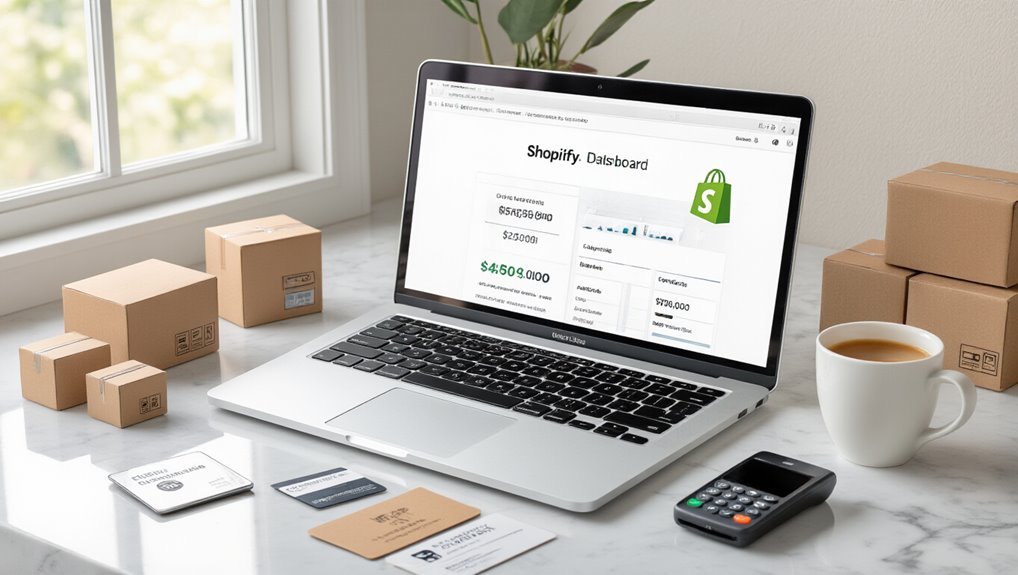
You’ll gain complete access to Shopify’s core platform features during your trial, enabling you to build and test your store’s functionality without limitations.
The trial includes professional theme customization tools and design capabilities that let you create a conversion-optimized storefront tailored to your brand.
You can also configure payment processing systems and test checkout flows to guarantee seamless customer transactions before committing to a paid plan.
Core Platform Features Access
During Shopify’s free trial, you’ll gain access to nearly every core platform feature that paid subscribers use to build and scale their businesses.


You can create unlimited products, customize your storefront with professional themes, and configure payment processing through Shopify Payments or third-party gateways. The trial includes inventory management tools, order processing capabilities, and basic analytics to track performance metrics.
You’ll experience the complete admin dashboard, allowing you to test workflows and gather user experience insights before committing financially.
Core platform benefits extend to mobile optimization, SEO tools, and customer management features. This extensive access enables strategic decision-making about whether Shopify aligns with your business requirements and technical capabilities.
Theme and Design Tools
Shopify’s design arsenal gives you access to over 100 professional themes during your trial, with 12 free options and the ability to preview any premium theme before purchase.
Your trial grants access to extensive theme customization tools that let you modify colors, fonts, layouts, and content without coding knowledge.
The platform’s design flexibility empowers you to create a unique brand experience through:
- Visual editor – Drag-and-drop sections and real-time preview capabilities
- Mobile optimization – Automatic responsive design across all devices
- Brand customization – Logo upload, custom CSS, and advanced styling options
You’ll test premium themes risk-free, understanding exactly how your store will look before making a purchase commitment.
This trial period offers valuable insights into which design elements effectively convert visitors into customers for your specific market.
Payment Processing Setup
Even before your first sale, setting up payment processing becomes straightforward with Shopify’s built-in payment gateway and third-party integrations available during your trial.
You’ll access Shopify Payments immediately, which processes credit cards, digital wallets, and Buy with Prime without requiring separate merchant accounts. The platform supports over 100 external payment gateways, including PayPal, Stripe, and Amazon Pay, letting you compare transaction fees across providers.

During your trial, you can configure multiple payment methods, test checkout flows, and analyze which options convert best for your target market.
You’ll see real transaction fees ranging from 2.4% to 2.9% plus 30¢ per transaction, depending on your chosen plan level.
Setting Up Your Store Within the Trial Timeline
Once you’ve activated your Shopify trial, you’ll need to maximize every day of your 3-day window to build a conversion-ready store. Effective trial optimization requires strategic prioritization of essential store setup elements that directly impact sales potential.
Focus your limited timeframe on these conversion-critical components:
- Product catalog and pricing – Upload high-converting product images, compelling descriptions, and competitive pricing structures.
- Essential pages creation – Build your homepage, product pages, and checkout flow with conversion-optimized copy and design.
- Mobile responsiveness testing – Verify your store functions seamlessly across devices, as 79% of mobile users abandon sites with poor performance.
Skip time-consuming customizations during your trial period. Instead, concentrate on fundamental store setup elements that demonstrate revenue potential.
Use analytics tools to track visitor behavior immediately, gathering data that’ll inform your post-trial optimization strategy. Remember, your goal isn’t perfection—it’s proving your store’s viability within the trial constraints.
Testing Payment Processing and Transaction Features
How quickly can you verify that your payment gateway will actually process customer transactions without friction? You’ll want to test multiple payment scenarios during your trial period to identify potential roadblocks before launching.
Start by processing test transactions using different payment methods. Most payment gateways offer sandbox environments where you can simulate purchases without actual money changing hands. This lets you evaluate transaction security protocols and customer checkout experiences.
| Test Scenario | Priority Level |
|---|---|
| Credit card processing | High |
| Failed payment handling | High |
| Refund procedures | Medium |
| Multiple currency support | Medium |
Focus on transaction speed and error handling. Run tests with intentionally declined cards to see how your system responds. Check if security features like fraud detection work properly. Document any payment gateway limitations you discover.
Time spent testing payment processing now prevents revenue loss later. Your trial period gives you risk-free access to evaluate these critical functions thoroughly.

Exploring Themes and Customization Options
You’ll need to evaluate Shopify’s design capabilities during your free trial, starting with the 10+ free themes available in their theme store.
Premium themes cost $140-$180 and offer advanced features, but you can assess whether free options meet your conversion requirements first.
The built-in customization tools let you modify colors, fonts, and layouts without coding, giving you 14 days to determine if the platform’s design flexibility aligns with your brand strategy.
Free Theme Selection
During your Shopify free trial, you’ll gain access to over 100 professionally designed themes that can transform your store’s appearance and functionality within minutes.
These themes are strategically categorized by industry and style, enabling you to select options that maximize conversion potential for your specific market.
The theme installation process is remarkably streamlined:
- One-click installation – Deploy themes instantly without technical expertise
- Preview functionality – Test themes with your actual products before going live
- Mobile optimization – All themes automatically adapt to mobile devices
Free themes deliver professional aesthetics comparable to premium alternatives, though custom theme options remain limited during the trial.
You can modify colors, fonts, and layouts through Shopify’s intuitive customization panel. This allows you to establish brand consistency while optimizing user experience for higher conversion rates.
Premium Theme Costs
Beyond Shopify’s free theme collection, premium themes typically range from $140 to $380 and offer advanced features that can greatly impact your store’s conversion rates.
You’ll gain access to premium theme benefits, including advanced product filtering, enhanced mobile responsiveness, and built-in conversion optimization tools like countdown timers and trust badges.
Premium themes provide extensive theme customization options through drag-and-drop builders, multiple homepage layouts, and advanced typography controls.
You can customize checkout processes, implement sophisticated product galleries, and utilize A/B testing capabilities.
These investments often pay for themselves through improved user experience and higher conversion rates.
During your free trial, you can preview premium themes and assess which features align with your business goals before committing to purchase.
Design Customization Tools
Shopify’s theme editor empowers you to modify your store’s appearance without coding knowledge through its intuitive visual interface.
This design flexibility enables you to create a unique brand identity that drives conversions during your trial period.
The platform’s customization capabilities include:
- Drag-and-drop sections – Rearrange homepage elements, product galleries, and promotional banners instantly
- Color and typography controls – Adjust brand colors, fonts, and spacing to match your visual identity
- Mobile responsiveness settings – Optimize your store’s user experience across all devices automatically
You’ll access advanced features like custom CSS injection, logo uploads, and checkout customization.
These tools let you test different layouts and measure their impact on visitor engagement.
Strategic design choices during your trial help you understand which elements convert browsers into buyers most effectively.
Evaluating Apps and Third-Party Integrations
How effectively can you leverage your free trial period to identify the apps and integrations that’ll drive actual revenue growth? Your 14-day window demands strategic app evaluation focused on conversion impact, not feature accumulation.
Prioritize app compatibility testing with your chosen theme and existing workflows. Test integration options that directly influence your sales funnel—payment processors, email marketing platforms, and inventory management systems take precedence over aesthetic add-ons.
| App Category | Revenue Impact | Trial Priority |
|---|---|---|
| Payment Processing | High | Day 1-3 |
| Email Marketing | High | Day 4-6 |
| Analytics/Tracking | Medium | Day 7-9 |
Focus your remaining trial days on apps that solve specific conversion bottlenecks you’ve identified through initial testing. Document which integrations create friction versus those that streamline operations. This data-driven approach guarantees you’re investing in tools that genuinely accelerate growth rather than cluttering your store with unnecessary features.
Understanding Trial Limitations and Restrictions
While Shopify’s free trial gives you access to most core features, you’ll encounter specific limitations that directly impact your ability to fully test certain functionalities before committing to a paid plan.
Your trial store won’t process real transactions through Shopify Payments, and you’ll face restrictions on password-protected storefronts that limit genuine customer interactions.
These constraints mean you can’t accurately measure conversion rates or test checkout optimization strategies until you upgrade to a paid subscription.
Feature Access Limits
Although you’ll gain access to most of Shopify’s core functionality during your free trial, certain premium features remain locked behind paid subscription walls. Understanding these limitations helps you conduct an effective feature comparison before committing to a paid plan.
Your trial advantages include basic store setup, product management, and essential payment processing. However, you’ll encounter restrictions on:
- Advanced reporting tools – Detailed analytics and custom reports require paid subscriptions
- Third-party integrations – Many apps and external service connections need upgraded accounts
- Staff account limits – Additional team member access is restricted on trial accounts
These limitations shouldn’t prevent you from testing core e-commerce functionality.
Focus on evaluating essential features like checkout processes, inventory management, and customer experience during your trial period to make strategic upgrade decisions.
Store Functionality Restrictions
Beyond feature limitations, Shopify’s trial version imposes specific operational restrictions that directly impact your store’s functionality and growth potential.
Your trial experience includes significant constraints on order processing capabilities, preventing actual sales transactions from completing. You can’t access advanced shipping configurations, limiting your ability to test real fulfillment scenarios. Payment gateway integration remains restricted, forcing you to rely on simulated checkout processes rather than genuine customer transactions.
Additionally, your store capabilities exclude automated inventory management systems and advanced analytics tools essential for scaling operations.
Email marketing integrations operate with reduced functionality, preventing extensive customer communication testing. These restrictions strategically encourage plan upgrades while protecting Shopify’s revenue model, making thorough business model validation challenging during your fourteen-day trial period.
Extending Your Trial Period: Possibilities and Methods
Since Shopify’s standard 14-day trial can feel restrictive when you’re building a thorough store, you’ll want to explore proven methods that can extend your evaluation period.
While Shopify doesn’t officially advertise trial extension options, strategic approaches can maximize your testing window:
- Contact customer support resources before expiration – Reach out 24-48 hours before your trial ends, explaining your specific business needs and requesting additional time for evaluation.
- Leverage partner program benefits – Shopify Partners receive extended development store access, allowing unlimited testing time for store builds and app integrations.
- Create multiple test environments – Use different email addresses to establish separate trial accounts for testing various store configurations and business models.
These methods require genuine business intent rather than gaming the system.
Focus on demonstrating legitimate evaluation needs when requesting extensions. Document your store-building progress and specific features you’re testing to present compelling cases for additional trial time.
Transitioning From Trial to Paid Subscription Plans
When your trial period nears its end, you’ll face a critical decision that directly impacts your business’s operational capacity and growth trajectory.
Your subscription upgrade options span three primary tiers: Basic ($29/month), Shopify ($79/month), and Advanced ($299/month), each offering distinct feature sets and transaction fee structures.
Effective trial conversion strategies focus on data analysis from your trial usage patterns. Review your traffic volume, sales velocity, and required features to determine ideal plan selection. Basic suits stores processing under 1,000 orders monthly, while Shopify accommodates businesses generating $50,000+ in monthly revenue.
Time your upgrade strategically—convert before trial expiration to maintain store continuity and avoid potential data disruption.
Monitor your conversion funnel performance, average order value, and customer acquisition costs during trial periods. These metrics provide actionable insights for plan justification and ROI projections, ensuring your subscription investment aligns with actual business performance requirements.
Maximizing Your Trial Time for Business Success
Your trial period represents a finite window to validate business viability and establish operational frameworks that’ll determine long-term success.
Strategic trial optimization strategies require systematic testing across key performance indicators to maximize conversion potential.
Focus your trial efforts on these critical areas:
- Product catalog optimization – Test different product descriptions, pricing strategies, and inventory organization to identify what drives highest engagement rates.
- Customer acquisition channels – Experiment with social media marketing, email campaigns, and SEO tactics to determine which channels generate qualified traffic most cost-effectively.
- Conversion funnel analysis – Monitor checkout abandonment rates, page load speeds, and user experience metrics to eliminate friction points.
Leveraging trial insights means documenting every metric, from visitor behavior patterns to sales conversion rates.
You’ll need this data to make informed decisions about theme selection, app integrations, and marketing budget allocation.
Don’t waste time on cosmetic tweaks—prioritize revenue-generating activities that provide measurable business intelligence for post-trial scaling decisions.
Frequently Asked Questions
Can I Start Multiple Free Trials With Different Email Addresses?
You can’t legally create multiple accounts using different email addresses to bypass Shopify’s free trial limitations.
Shopify’s terms of service prohibit multiple accounts per person, and they track IP addresses, payment methods, and device fingerprints. This violates their policy and can result in account suspension.
Instead, maximize your single 14-day trial by thoroughly testing features and preparing your store launch strategy.
What Happens to My Store Data if I Don’t Upgrade?
Your store data gets permanently deleted if you don’t upgrade within 14 days after your trial expires.
Shopify removes all products, customer information, orders, and customizations. You can’t recover this data once it’s gone.
To protect your work, you must select one of Shopify’s upgrade options before the deadline.
Export critical data beforehand if you’re unsure about continuing with a paid plan.
Do I Need a Credit Card to Start the Trial?
Yes, you’ll need a credit card to start Shopify’s trial, but you won’t be charged during the trial period.
This credit card requirement is part of Shopify’s trial activation process to verify your identity and enable a seamless shift to paid plans. The card guarantees you can immediately access all features without interruption.
You can cancel anytime during the trial to avoid charges, making it a risk-free way to test the platform’s conversion potential.
Can I Cancel My Trial Before It Ends Without Charges?
Yes, you can cancel your Shopify trial anytime before it ends without any charges.
Shopify’s trial cancellation policies allow complete freedom during your trial period. You won’t be billed until the trial ending process completes and converts to a paid plan.
Simply navigate to your account settings and select “Close store” to cancel.
This strategic approach lets you test features risk-free and make data-driven decisions about upgrading.
Is Customer Support Available During the Free Trial Period?
Yes, you’ll have full customer service availability during your free trial period.
Shopify provides 24/7 free trial support through live chat, email, and phone assistance.
You can access their help center, community forums, and expert guidance without restrictions.
This extensive support system helps you maximize your trial experience, resolve technical issues quickly, and make informed decisions about upgrading to a paid plan.
Conclusion
You’ve got 14 days to transform your trial into a profitable business. Don’t waste time—configure your payment gateways immediately, test checkout flows, and track conversion metrics daily. Upload products, optimize your theme for mobile, and set up analytics within 48 hours. Focus on high-impact features that’ll drive sales: abandoned cart recovery, SEO optimization, and email capture. Your trial’s success determines your store’s future—make every day count toward revenue generation.
Table of Contents
- 1 Key Takeaways
- 2 Duration of Shopify’s Free Trial Period
- 3 What’s Included During Your Trial Experience
- 4 Setting Up Your Store Within the Trial Timeline
- 5 Testing Payment Processing and Transaction Features
- 6 Exploring Themes and Customization Options
- 7 Evaluating Apps and Third-Party Integrations
- 8 Understanding Trial Limitations and Restrictions
- 9 Extending Your Trial Period: Possibilities and Methods
- 10 Transitioning From Trial to Paid Subscription Plans
- 11 Maximizing Your Trial Time for Business Success
- 12 Frequently Asked Questions
- 13 Conclusion







No Comments