
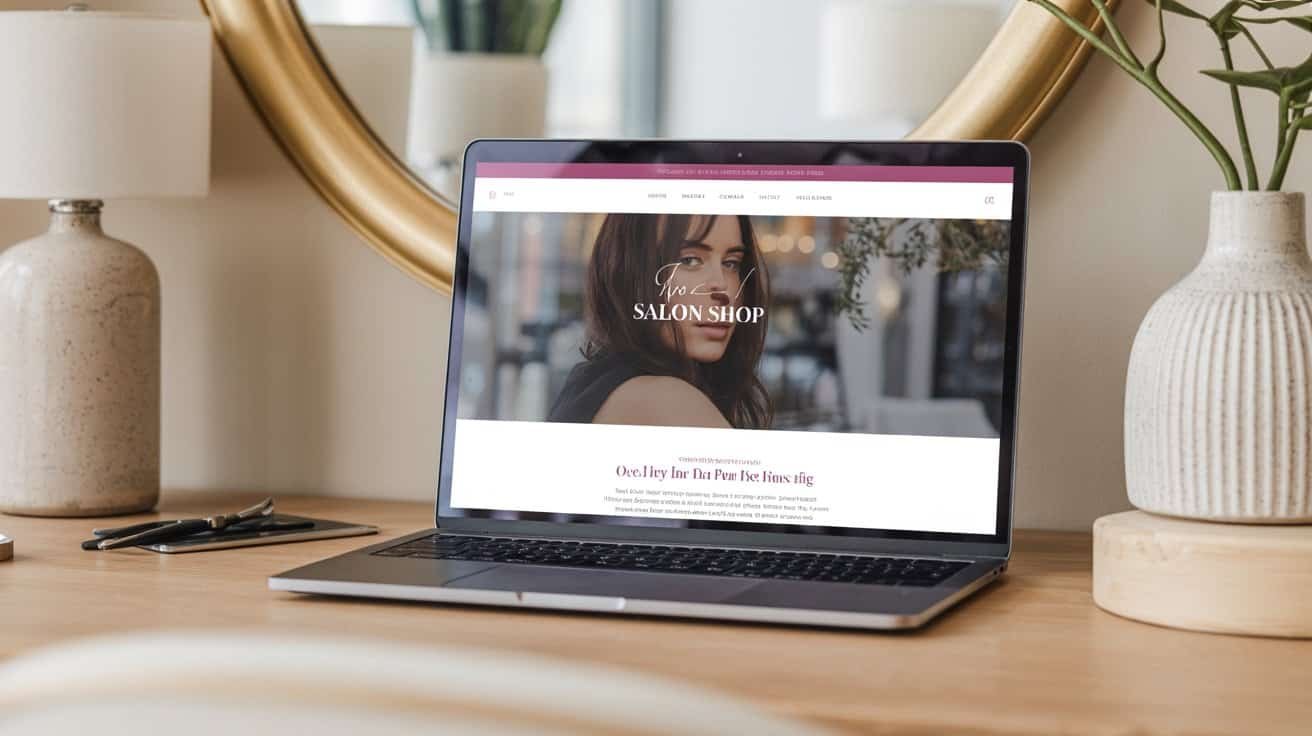
Your salon website needs nine essential elements to convert visitors into booked clients: mobile-responsive design since 73% of customers book via smartphones, an automated 24/7 booking system, transparent service pricing without “starting at” language, professional team profiles with credentials, high-quality before-and-after galleries, prominent client reviews, live social media feeds, local SEO optimization, and fast loading speeds under three seconds. Master these components to capture every potential appointment and discover the specific strategies that’ll transform your digital presence into a client-booking powerhouse.
Key Takeaways
- Implement mobile-responsive design with fast loading speeds since 73% of salon customers book appointments through mobile devices.
- Set up automated online booking system with real-time availability, payment processing, and appointment reminders to reduce no-shows.
- Display clear service menus with transparent pricing, treatment durations, and detailed descriptions organized by category.
- Optimize for local SEO with geo-targeted content, Google Business Profile, and location-specific keywords like “hair salon near me.”
- Showcase team profiles with professional photos, certifications, specializations, and years of experience to build customer trust.
Mobile-Responsive Design and User Experience
Since 73% of salon customers book appointments through mobile devices, your website’s mobile responsiveness directly impacts your bottom line. Your mobile design must prioritize seamless navigation and instant loading speeds to capture bookings before potential clients bounce to competitors.
Optimize touch targets to make sure buttons and links are easily tappable without accidental clicks. Industry standards recommend minimum 44-pixel touch targets for comfortable finger navigation. Implement clear gesture feedback that confirms user actions—subtle animations or color changes when buttons are pressed reduce frustration and build confidence in your booking system.
Your mobile interface should streamline the appointment booking process into three steps maximum. Display service menus clearly, showcase stylist availability prominently, and minimize form fields to essential information only. Test your site across various devices and screen sizes regularly. Remember, mobile users expect desktop functionality in a thumb-friendly format that converts browsers into booked appointments effortlessly.
Online Booking and Appointment Scheduling System
Transform casual browsers into confirmed appointments with an automated booking system that works around the clock. You’ll capture leads when your salon’s closed and eliminate phone tag that costs you bookings.
An automated booking system transforms casual website visitors into confirmed appointments while capturing leads 24/7 without phone tag delays.
Choose a platform that syncs with your existing calendar and sends real time confirmations to both clients and staff. This transparency reduces no-shows and builds trust. Your system should display available time slots, service durations, and staff availability instantly.
Enable recurring appointments for regular clients who book monthly colors or weekly blowouts. This feature increases client retention and provides predictable revenue streams. Include automated reminders via text and email to minimize last-minute cancellations.
Integrate payment processing for deposits or full service payments. This commitment reduces no-shows by 60% and improves cash flow. Make certain your booking widget loads quickly on mobile devices since 70% of salon appointments are booked on smartphones.
Service Menu With Clear Pricing and Descriptions
Your service menu acts as your silent salesperson, and it’s essential you organize treatments by category—haircuts, color services, facials, and treatments—so clients can quickly find what they need.
You’ll want to include detailed treatment times for each service, helping customers plan their visit and reducing no-shows when they understand the time commitment upfront.


Display your pricing structure transparently without hidden fees or “starting at” language that creates confusion and cart abandonment.
Organize Services by Category
When potential clients visit your salon’s website, they’re scanning for two critical pieces of information: what services you offer and how much they’ll cost.
Organizing your services by category makes their decision-making process effortless and increases booking conversions.
Create distinct sections like “Hair Services,” “Nail Care,” “Skincare,” and “Specialty Treatments.”
This logical structure helps clients navigate quickly to their desired service without frustration.
Include seasonal packages and service bundles within relevant categories to showcase value-driven options that boost your average transaction value.
Use clear headers and visual separators between categories.
Consider trending services like “Wellness Treatments” or “Bridal Packages” as standalone categories.
Mobile-responsive design guarantees your categorized menu displays perfectly across all devices, capturing bookings from clients browsing on-the-go.
Include Detailed Treatment Times
Clear treatment durations eliminate booking confusion and help clients plan their salon visits effectively. You’ll reduce scheduling conflicts and no-shows when clients understand exactly how long their appointments will take. Display estimated durations prominently next to each service – include consultation time for complex treatments like color corrections or extensions.

Smart service pacing keeps your schedule flowing smoothly while setting realistic client expectations. List haircuts as 45-60 minutes, highlights as 2-3 hours, and express services like blowouts as 30 minutes. Mobile users especially appreciate this transparency when booking during lunch breaks or tight schedules.
Update timing seasonally – wedding season services often require extended slots, while quick summer touch-ups move faster. This strategic approach maximizes your booking efficiency while building client trust through accurate scheduling.
Display Transparent Pricing Structure
Since clients research pricing before booking appointments, displaying upfront costs builds immediate trust and eliminates awkward phone calls asking “how much does this cost?” Your service menu should feature clear price ranges for each treatment – list cuts starting at $65, full highlights from $150-250, and keratin treatments at $200-300 depending on hair length.
Price transparency drives conversions by removing booking hesitation. Create tiered bundles that combine popular services – offer a “Complete Color Package” including consultation, color, cut, and style for $220 instead of pricing each separately. This strategy increases average ticket value while simplifying decision-making.
Include brief descriptions explaining what each service involves. Clients shouldn’t guess whether “balayage” includes toner or if extensions require additional maintenance fees. Clear pricing eliminates surprises and positions your salon as trustworthy.
Professional Team Profiles and Staff Credentials
Your salon’s credibility hinges on showcasing your team’s expertise through thorough staff profiles that highlight certifications, specialized training, and years of experience.
You’ll convert more prospects into clients when they can see professional headshots paired with detailed credentials that demonstrate your stylists’ mastery of current techniques and trending services.
Make each team member’s unique specializations crystal clear—whether it’s balayage, extensions, or color correction—so clients can confidently book with the right expert for their needs.
Stylist Certification Display
When potential clients browse your salon’s website, they’re not just looking for services—they’re seeking confidence in the professionals who’ll transform their appearance.
Your stylist certification display serves as that essential trust-building element that converts visitors into bookings.

Prominently showcase certification badges from recognized beauty institutions, state licensing boards, and specialized training programs.
Create dedicated sections for each stylist’s credentials, including cosmetology licenses, advanced cutting certifications, color specialist qualifications, and continuing education achievements.
Implement licensing verification links that allow clients to independently confirm your team’s credentials through state regulatory websites.
This transparency demonstrates professionalism and builds immediate credibility.
Consider organizing certifications by specialty areas—balayage, keratin treatments, bridal styling—helping clients quickly identify the right expert for their specific needs.
Experience and Specializations
Beyond certifications, clients want to see the real expertise behind each stylist’s name—their years of experience, signature techniques, and specialized skills that set them apart.
Your team profiles should showcase what makes each professional unique in today’s competitive market. Detailed experience descriptions help clients connect with stylists who understand their specific needs and aesthetic goals.
Highlight each stylist’s journey with:
- Years of experience and career milestones in the beauty industry
- Signature treatments they’ve developed or perfected over time
- Specialized training in trending techniques like balayage, extensions, or color correction
- Niche audiences they serve, such as curly hair specialists or bridal experts
This transparency builds trust and helps clients choose the right stylist for their vision, ultimately increasing booking conversions and client satisfaction.
Professional Headshot Photography
High-quality professional headshots serve as the visual foundation of your team profiles, directly influencing client trust and booking decisions.
You’ll want consistent studio lighting across all photos to maintain brand cohesion and professional appearance.
Natural, approachable expressions work best for salon environments – avoid overly formal poses that create distance between staff and potential clients.
Invest in expression coaching for team members who feel camera-shy.
Authentic smiles and confident postures translate directly into increased bookings.
Include headshots alongside detailed credentials, certifications, and specialization highlights.
Position these photos prominently on your team page and individual service pages.
Update headshots annually to reflect current styling trends and maintain accuracy.
Fresh, contemporary photos signal that your salon stays current with industry developments.
High-Quality Portfolio and Before-and-After Gallery
Since potential clients can’t physically touch or feel your services online, your portfolio becomes the most powerful sales tool on your website. High-quality before-and-after galleries showcase your expertise and build trust with prospective customers who need proof of your capabilities.
Your portfolio serves as virtual proof of skill when clients cannot experience your services firsthand before booking.
Your portfolio should feature:
- Diverse transformations – Include various hair textures, colors, and styling techniques to demonstrate your versatility
- Natural lighting photography – Capture true colors and realistic results that clients can expect
- Consistent image quality – Maintain professional standards across all photos with proper resolution and composition
- Candid shots alongside styled photos – Show authentic reactions and real-world results beyond perfect studio conditions
Organize galleries by service type—cuts, colors, extensions, treatments—making it easy for visitors to find relevant work. Update your portfolio regularly with fresh content to reflect current trends and seasonal styles.
Include client testimonials alongside transformations to reinforce credibility and encourage bookings.
Contact Information and Location Details
While stunning visuals attract potential clients to your salon, making it effortless for them to reach you and find your location converts that interest into actual appointments.
Your contact section should prominently display your phone number, email address, and physical address with click-to-call and click-to-email functionality.
Include detailed driving directions and note parking access availability – clients need to know where they can safely park without stress.
Embed an interactive Google Maps widget showing your exact location, nearby landmarks, and public transportation options.
List your operating hours clearly, including holiday schedules and any seasonal changes.
Consider adding your social media handles and messaging platforms like WhatsApp for younger demographics who prefer text-based communication.
Include information about appointment reminders – whether you send SMS notifications, emails, or phone calls to reduce no-shows.
Make your contact information mobile-optimized since most clients will search for salon services on their smartphones while on-the-go.
Client Reviews and Testimonials Display
Potential clients consistently rely on authentic reviews and testimonials to validate their decision when choosing a salon, making this section one of your website’s most powerful conversion tools.
Authentic reviews serve as your salon’s most powerful conversion tool, directly influencing potential clients’ booking decisions through trusted social proof.
Your testimonials display should strategically showcase client satisfaction while building immediate trust with prospects browsing your services.
Implement these essential elements for maximum impact:
- Display star rating prominently with overall scores and individual service ratings to provide quick visual validation
- Feature video endorsements from satisfied clients discussing their transformation experiences and salon atmosphere
- Include before-and-after photos with client permission to demonstrate your team’s expertise and results
- Rotate fresh testimonials regularly across different services to maintain relevance and showcase your full range of capabilities
Position your reviews section prominently on your homepage and service pages.
Fresh, diverse testimonials addressing specific concerns like pricing, scheduling flexibility, and stylist expertise will directly address prospect hesitations and accelerate their booking decisions.
Social Media Integration and Live Feeds
You’ll maximize your salon’s online presence by strategically selecting the right social media platforms where your target clients actively engage, then seamlessly displaying that live content directly on your website.
Smart automated posting tools will keep your feeds fresh with before-and-after transformations, styling tips, and behind-the-scenes moments that convert browsers into bookings.
This integration creates a dynamic website experience that showcases your salon’s personality while building trust through real-time social proof.
Platform Selection Strategy
Because your salon’s digital presence extends far beyond your website, selecting the right platform strategy becomes essential for capturing clients across every touchpoint where they discover and engage with beauty content.
Your platform decisions directly impact booking conversions and client retention. Focus on platforms where your target demographic actively seeks beauty inspiration and services.
- Instagram and TikTok – Prioritize visual platforms showcasing transformations, tutorials, and behind-the-scenes content
- Facebook Business – Essential for local discovery, reviews, and community building with older demographics
- Google My Business – Critical for local SEO and immediate booking actions
- Pinterest – Drives long-term traffic through style inspiration boards
Ensure your chosen platforms integrate seamlessly with scalable hosting solutions and support secure payment gateways for direct booking conversions.
This strategic alignment maximizes your marketing investment while streamlining the client journey.
Live Content Display
Once you’ve established your platform presence, transforming that social content into dynamic website elements becomes your next conversion opportunity. Live social feeds showcase your salon’s daily transformations, creating authentic proof that drives bookings. Instagram feeds displaying before-and-after shots, client testimonials, and trending styles keep your website fresh without manual updates.
Real time updates from your social platforms demonstrate your salon’s activity level and expertise. However, you’ll need live content moderation to filter inappropriate comments or off-brand posts that could damage your professional image. Set up automated filters and manual review processes for content approval.
Consider embedding TikTok videos showcasing quick styling tips or Facebook reviews highlighting customer satisfaction. This dynamic content reduces bounce rates while building trust through social proof that converts visitors into clients.
Automated Posting Tools
Streamlining your content creation across multiple platforms cuts down posting time while maximizing your salon’s digital reach. You’ll need robust automated posting tools that sync with your content calendar and optimize your hashtag strategy across Instagram, Facebook, and TikTok.
Essential features to look for:
- Cross-platform scheduling that maintains platform-specific formatting and ideal posting times
- Hashtag research integration that suggests trending beauty and salon-specific tags automatically
- Content recycling capabilities that repurpose your best-performing posts with fresh angles
- Analytics dashboard that tracks engagement metrics and adjusts your content calendar accordingly
These tools transform sporadic posting into consistent brand presence. You’ll spend less time managing multiple accounts while ensuring your salon stays visible when potential clients are browsing for beauty services during peak engagement windows.
Search Engine Optimization and Local SEO
While beautiful salon interiors and skilled stylists draw clients through your doors, your online visibility determines whether potential customers can find you in the first place.
Your salon’s online presence is the digital storefront that guides customers to your physical doors.
Start with thorough keyword research targeting local terms like “hair salon near me” and service-specific phrases. Implement content clustering by organizing your services into themed pages that interconnect naturally. Schema markup is essential—add structured data for your business hours, services, pricing, and reviews to help search engines understand your content.
Optimize for voice search by incorporating conversational phrases customers use when speaking to their devices. “Where’s the best color correction salon nearby?” should align with your content strategy.
Focus heavily on local SEO fundamentals: claim your Google Business Profile, maintain consistent NAP citations across directories, and actively collect customer reviews.
Geo-target your content with neighborhood references and local landmarks. Mobile optimization isn’t optional—most salon searches happen on smartphones while people’re on-the-go.
Website Security and Loading Speed Optimization
Getting customers to find your salon means nothing if they can’t book appointments because your site loads too slowly or displays security warnings. Today’s beauty clients expect instant access and complete security when browsing services online.
SSL implementation protects customer data and boosts search rankings while building trust. Google penalizes unsecured sites, making this non-negotiable for salon websites handling appointments and payments.
Your site’s performance directly impacts conversions. Focus on these technical optimizations:
- Image compression – Compress before-and-after photos and service galleries without losing quality
- Cache strategies – Enable browser caching to store frequently accessed content locally
- Server optimization – Choose hosting providers optimized for WordPress or your platform
- Mobile optimization – Make certain fast loading across all devices since 70% of bookings happen on mobile
Test your site speed regularly using Google PageSpeed Insights. Aim for loading times under three seconds to prevent potential clients from bouncing to competitors.
Frequently Asked Questions
How Often Should I Update My Salon Website Content?
You should aim for weekly updates to keep your salon website fresh and engaging. Post new styling photos, highlight seasonal services, and share client transformations regularly.
Implement seasonal refreshes every three months to showcase trending cuts, colors, and treatments that match current fashion cycles. This consistent content strategy boosts your search rankings, attracts new clients, and demonstrates you’re staying current with beauty industry trends.
What Legal Disclaimers Do I Need on My Salon Website?
You’ll need a thorough privacy policy detailing how you collect, store, and use client data, especially for online bookings and email marketing.
Include informed consent forms for all services, particularly chemical treatments and advanced procedures.
Add liability waivers, cancellation policies, and age restrictions for certain services.
Don’t forget allergy disclaimers, photo release forms for social media, and compliance with local health regulations.
Should I Offer Online Payment Options for Services?
Yes, you should absolutely offer online payment options for your salon services.
Online bookings with integrated payments streamline your scheduling process and reduce no-shows markedly.
Contactless payments have become essential post-pandemic, meeting client expectations for convenience and safety.
You’ll capture more appointments when clients can book and pay instantly, especially during off-hours when your salon’s closed.
How Do I Handle Cancellation Policies on My Website?
Display your cancellation policy prominently on your booking page and confirmation emails. Set clear deadlines—typically 24-48 hours for cancellations without late fees.
Create a reasonable rescheduling window that protects your revenue while staying client-friendly. Use automated reminders to reduce no-shows.
Consider sliding-scale late fees based on notice given. Make your policy easily accessible in your website footer and guarantee it’s mobile-optimized for today’s on-the-go clients.
What Insurance Information Should Be Displayed on My Site?
Display your general liability and professional indemnity insurance certificates prominently in your footer or dedicated “About” section. You’ll build client trust by showing you’re fully covered for accidents, injuries, and service-related claims.
Include your insurer’s name, policy numbers, and coverage amounts. This transparency differentiates you from unlicensed competitors and reassures clients they’re protected when booking premium services at your salon.
Conclusion
You’ve got the blueprint for a salon website that converts browsers into loyal clients. Don’t let your competition steal bookings while you’re stuck with an outdated site. Today’s beauty-conscious customers expect seamless mobile experiences, instant booking capabilities, and social proof that screams credibility. Implement these essentials now and watch your appointment calendar fill up. Your salon’s success depends on more than great cuts—it’s about creating digital experiences that turn clicks into clients.
Table of Contents
- 1 Key Takeaways
- 2 Mobile-Responsive Design and User Experience
- 3 Online Booking and Appointment Scheduling System
- 4 Service Menu With Clear Pricing and Descriptions
- 5 Professional Team Profiles and Staff Credentials
- 6 High-Quality Portfolio and Before-and-After Gallery
- 7 Contact Information and Location Details
- 8 Client Reviews and Testimonials Display
- 9 Social Media Integration and Live Feeds
- 10 Search Engine Optimization and Local SEO
- 11 Website Security and Loading Speed Optimization
- 12 Frequently Asked Questions
- 13 Conclusion








No Comments